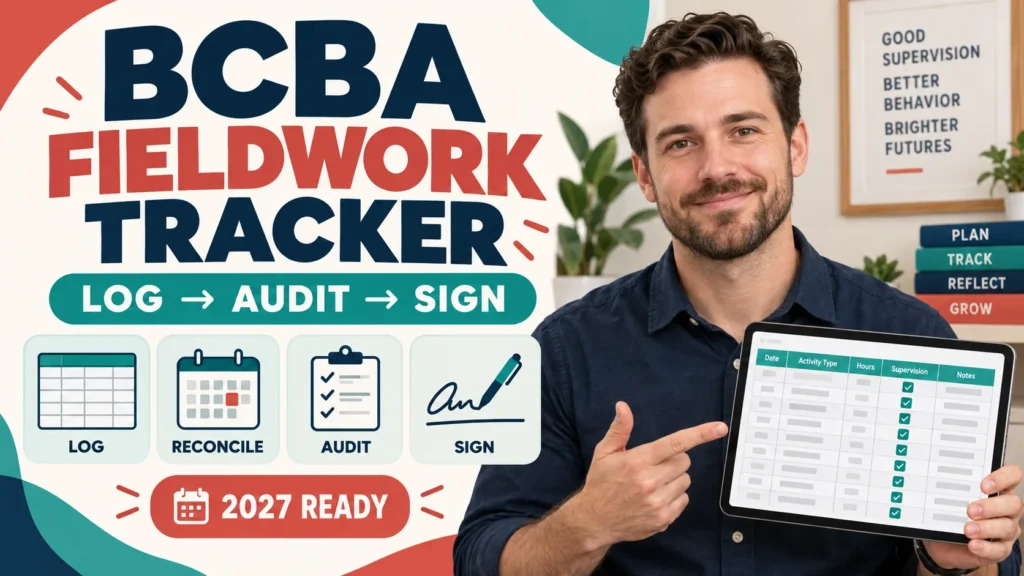
If you searched for a BCBA fieldwork tracker, the safest starting point is not a template. It is a minimum evidence schema: what happened, how many hours were earned, whether the activity was restricted or unrestricted, what supervision and observation occurred, which requirement version applies, and where the signed official record is stored.
Table of Contents
- What a BCBA Fieldwork Tracker Should Do
- Separate Your Personal Log From Official BACB Forms
- Start With the Minimum Data Schema
- Build a Monthly Logging Flow
- Reconcile Hours, Ratios, and Supervisory Periods
- Track Supervision, Observation, and Signatures
- Add a Version Column for 2022 Versus 2027
- Run an Audit Before You Submit a Form
- Choose a Tool Only After the Schema Is Clear
- Turn Tracking Into Exam Preparation
- FAQ
- Take the Free BCBA Mock Exam
Short answer: use a personal tracker to organize daily activity and run a monthly audit, but do not treat it as a BACB-approved form. Keep the tracker separate from the official Monthly Fieldwork Verification Form (M-FVF) and Final Fieldwork Verification Form (F-FVF), review totals with your supervisor, and preserve the source records needed to support the official forms. The BACB Fieldwork Checklist and Tip Sheet recommends creating a documentation system and keeping fieldwork records accessible.
What a BCBA Fieldwork Tracker Should Do
A useful tracker answers five questions without forcing you to reconstruct a month from memory. These are the minimum control points you should be able to review with your supervisor at month end, even if the final tool is simple:
- What happened? Record the date, setting, client-service context at the minimum necessary level, activity description, and time.
- What kind of work was it? Separate restricted, unrestricted, supervision, and observation entries instead of putting everything in one hours column.
- Who verified it? Track the supervisor, meeting or observation date, feedback, and signature status.
- Which rule version applies? Store the fieldwork requirement version and the date range so that a later change is not silently applied backward.
- Can I find the source? Link or name the supporting note, calendar entry, supervision record, or other permissible evidence without putting unnecessary protected information into the tracker.
| Tracker layer | Purpose | Common failure |
|---|---|---|
| Daily activity log | Capture work while the facts are fresh | A single monthly total with no activity detail |
| Monthly audit | Reconcile hours, categories, supervision, and observations | Discovering a ratio problem after a form is signed |
| Official form packet | Provide the record that the BACB process actually requires | Assuming a personal spreadsheet replaces the M-FVF or F-FVF |
The tracker is therefore a control layer between your daily work and your official documentation. It should make discrepancies visible early, not create a second set of unofficial rules. Its job is to surface questions while the underlying records can still be corrected.
Separate Your Personal Log From Official BACB Forms
The most important label on any tracker is personal working record — not an official BACB form. The tracker can help you prepare for a supervisor review, but the form that matters for the certification process must be the current form and must be completed according to the BACB instructions and your supervisor’s verification. Keep these items separate so that a convenient personal log does not become confused with a verified certification record:
- Your daily notes and calculations.
- The supervisor’s feedback and observation record.
- The current official M-FVF or F-FVF.
- Any contract, change log, or correspondence that documents the fieldwork arrangement.
The official BACB fieldwork documentation FAQ emphasizes organized records and correct documentation. A third-party app, spreadsheet, or template is not automatically BACB-approved. Do not use a tracker to invent a signature, backdate an observation, or make a missing source record look complete.
Start With the Minimum Data Schema
Before you decide between Excel, Google Sheets, a fieldwork app, or paper, define the columns. A smaller tracker that you review consistently is safer than a beautiful template that nobody can reconcile. The schema should come before the software.
| Field group | Minimum fields | Why it matters |
|---|---|---|
| Date and period | Activity date, month, supervisory period, requirement version | Prevents totals from crossing periods or rule versions unnoticed |
| Activity | Short description, restricted/unrestricted label, hours | Makes category totals reviewable instead of guessed |
| Supervision | Supervisor, meeting date, individual/group status, supervision minutes | Supports supervision and observation checks |
| Evidence | Source reference, feedback recorded, signature status, storage location | Lets you locate the record without exposing unnecessary client information |
Use controlled values wherever possible: a dropdown for restricted, unrestricted, supervision, or observation; a fixed date format; and a yes/no or pending status for signatures. Free-text labels such as “clinical work,” “admin,” and “meeting” are too vague to support a later audit.
Build a Monthly Logging Flow

A monthly flow should be boring and repeatable. Enter an activity when it happens, review the running totals during the month, and close the month only after the supervisor-related records are checked. Consistency matters more than visual complexity.
- Log hours: enter the date, activity type, hours, and a neutral description. Do not wait until the end of the month.
- Check ratios: compare restricted and unrestricted totals with the requirement version that applies to the period.
- Verify supervision: record meetings, observation details, supervisor eligibility, and feedback status.
- Sign and save: review the official monthly form with the supervisor, preserve the signed copy, and record where the source packet is stored.
This flow also creates a useful exception list. For example, “hours entered but source note missing,” “supervision percentage below target,” or “observation completed but not marked on the official record” should appear as open items before the month is closed.
Reconcile Hours, Ratios, and Supervisory Periods
The BACB’s 2027 requirements page is the source of truth for the 2027 pathway. It describes 2,000 supervised hours or 1,500 concentrated supervised hours, limits each supervisory period to 20–160 hours, and sets supervision percentages of 5% for supervised fieldwork and 7.5% for concentrated fieldwork. It also describes 60-minute or 90-minute observations, at least 50% individual supervision, and at least 60% unrestricted activities for the 2027 requirements.
Do not put these numbers in a formula and assume the formula makes the record compliant. First identify the pathway and the rule version. Then let the tracker flag a review item for the candidate and supervisor.
| Monthly check | Tracker calculation or flag | Human review question |
|---|---|---|
| Total hours | Sum by month and supervisory period | Are every entry and period assigned correctly? |
| Supervision | Compare supervision minutes or hours with the applicable percentage | Was the supervision actually provided and documented? |
| Observation | Mark observation date, duration, and individual status | Does the record match the official requirement and the supervisor’s review? |
| Unrestricted work | Sum the entries tagged unrestricted and show the percentage | Does the description demonstrate qualifying work, or is the label doing too much work? |
For deeper month-end mechanics, see the existing BCBA fieldwork tracker monthly guide. This page focuses on the audit fields you should bring into that review, not on replacing it. Use the two pages for different jobs.
Track Supervision, Observation, and Signatures
A row that says “supervision completed” is not enough. Add the context your supervisor needs to verify the event: date, duration, individual or group format, who attended, whether observation occurred, what feedback was given, and whether a follow-up was assigned. Keep the tracker concise, and store sensitive details in the approved record system rather than copying unnecessary client information into a general spreadsheet.
- Verify the supervisor in the BACB Certificant Registry before relying on the arrangement.
- Keep the supervision contract and any approved change record in the same evidence packet.
- Mark whether the session was individual or group rather than inferring it later from a calendar title.
- Record observation date and duration separately from supervision contact.
- Use a signature status such as pending, reviewed, signed, or correction requested.
- Never treat a typed name, copied signature, or unchecked box as proof that the supervisor reviewed the record.
The official checklist also warns candidates to create a documentation system and keep required fieldwork forms accessible. If your employer controls the computer or account, confirm that you can retrieve the records when needed; do not keep the only copy in a location you cannot access later.
Add a Version Column for 2022 Versus 2027
Fieldwork guidance is date-sensitive. A tracker should therefore include a requirement version column and a rule-change note, not just a start date. The BACB’s current 2027 page should be checked whenever you start or continue a fieldwork arrangement. Do not assume that a 2027 percentage or form rule can be applied to every earlier entry without reviewing the official transition language.
| Version-control field | Example value | Why keep it |
|---|---|---|
| Requirement version | 2022 / 2027 / supervisor-confirmed transition | Prevents old and new calculations from being blended silently |
| Effective date check | Date you checked the BACB page | Shows when the source was last verified |
| Form version | Current M-FVF or F-FVF identifier | Makes an outdated download visible before signature |
| Supervisor confirmation | Reviewed / correction requested / pending | Keeps a calculation flag from becoming an unsupported conclusion |
When a rule is unclear, stop the formula and ask the supervisor or read the current BACB source. The tracker can reveal a question; it cannot answer a transition question by itself. A flagged cell is a prompt for review, not proof of compliance.
Run an Audit Before You Submit a Form
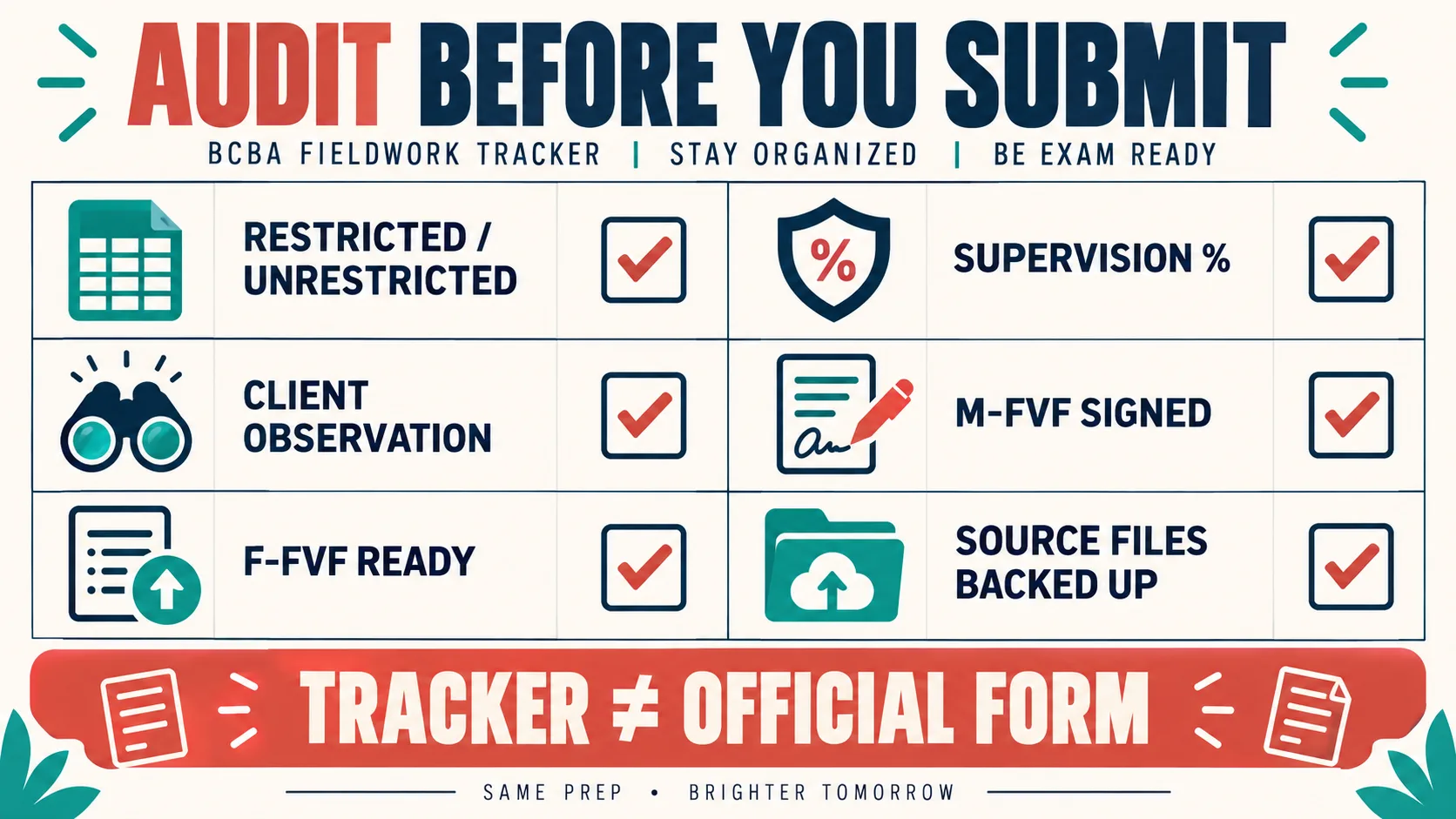
Use the following pre-submission gate every month. The goal is not to make the tracker look complete. The goal is to make missing evidence visible while correction is still possible, before a discrepancy is carried into the official record.
- Confirm that every entry has a date, activity type, hours, and requirement version.
- Recalculate total hours from the source rows instead of trusting a manually typed total.
- Check restricted and unrestricted labels against the actual activity description.
- Check the applicable supervision percentage and the individual-versus-group record.
- Confirm the observation date and duration are recorded separately.
- Match the tracker totals to the official M-FVF before signing.
- Check that the F-FVF is not being used as a substitute for monthly review.
- Save a readable copy and confirm that you can retrieve it without relying on one work computer.
- List every correction request and close it only after the source record is corrected.
The word “ready” should mean “reviewed by the right person,” not “the cells are green.” A tracker is useful because it creates a short, honest exception list for the candidate and supervisor. Visual status is never a substitute for verification.
Choose a Tool Only After the Schema Is Clear
Tool choice is secondary. If you want spreadsheet-specific instructions, use the existing guides for Excel and Google Sheets. The comparison below helps you choose without confusing convenience with compliance. No interface can replace a complete source record.
| Tool | Best use | Check before adopting |
|---|---|---|
| Excel | Private calculations and exportable audit views | Backups, version history, formula protection, and supervisor access |
| Google Sheets | Shared review and comments | Permissions, account ownership, export, and privacy settings |
| Fieldwork app | Mobile entry and reminders | Exportability, vendor access, retention, security, and lack of BACB endorsement |
| Paper log | A temporary offline capture method | Legibility, calculations, backup scans, and secure storage |
Do not enter more client-identifying information than your approved documentation process requires. A tracker should point to the source record, not become an unsecured duplicate of it. Privacy is part of choosing a storage system.
Turn Tracking Into Exam Preparation
Fieldwork tracking and BCBA exam preparation are related but different jobs. Tracking proves that your records are organized for review; it does not test your understanding of measurement, ethics, assessment, or intervention design. Use your monthly exceptions as study prompts:
- If you confuse restricted and unrestricted work, review the definitions and classify original examples.
- If supervision ratios are hard to explain, practice reading the requirement and applying it to a new scenario.
- If you miss a signature or form-version check, build a short checklist into your study routine.
- If a calculation looks correct but the activity description is vague, practice defending the classification in plain language.
After the tracker task is complete, you can use the site’s free BCBA mock exam as a separate readiness check. It is original practice content, not an official BACB exam, not a fieldwork form, and not a guarantee of a passing result.
FAQ
Is a BCBA fieldwork tracker an official BACB form? No. A spreadsheet, app, paper log, or template is a personal documentation aid. Keep it separate from the current official M-FVF and F-FVF and follow the BACB instructions and supervisor verification process.
What should I track every day? At minimum, record the date, activity description, restricted or unrestricted category, hours, supervisor or observation context when applicable, and a source reference. Add the requirement version so later changes are visible.
What are the 2027 BCBA fieldwork numbers? The official 2027 requirements page describes 2,000 supervised hours or 1,500 concentrated supervised hours, 20–160 hours per supervisory period, 5% or 7.5% supervision depending on the pathway, specified observation durations, at least 50% individual supervision, and at least 60% unrestricted activities. Check the current BACB page and your supervisor for how the transition applies to your record.
Should I use Excel, Google Sheets, or an app? Choose after defining the schema. The best tool is the one that lets you enter consistently, protect privacy, export the records, preserve versions, and review the official forms with your supervisor.
Bottom line: a strong BCBA fieldwork tracker is a monthly audit system, not a colorful hour counter. Log the source facts, separate restricted and unrestricted work, check supervision and observation, label the rule version, preserve the official forms, and resolve exceptions before the month is closed.
Take the Free BCBA Mock Exam
A useful next step is to apply this idea in a fresh set of BCBA-style practice questions and review the feedback. Take the Free BCBA Mock Exam