
Short answer: ABA EHR software is an electronic health record system adapted to applied behavior analysis workflows. A useful system should help a BCBA team connect client records, assessments, behavior plans, session data, supervision notes, authorizations, and reports without weakening clinical judgment or privacy controls. The best choice is not the platform with the longest feature list; it is the system that preserves the evidence your team needs to make, review, and explain decisions.
Table of Contents
- What Is ABA EHR Software?
- Which BCBA Workflows Should It Connect?
- What Features Matter Most?
- How Should You Evaluate the Data Model?
- What Should You Check About Privacy and Security?
- Can an ABA EHR Replace BACB Fieldwork Documentation?
- What Questions Should You Ask in a Demo?
- How Do You Plan Implementation and Migration?
- What Is the Fastest Way to Choose?
- ABA EHR FAQ
- Is an ABA EHR the same as an ABA data collection app?
- Does every ABA EHR need to be HIPAA compliant?
- Can an EHR prove that a BCBA candidate completed fieldwork?
- Key Takeaway
- Take the Free BCBA Mock Exam
If you searched for ABA EHR, you may be comparing products that call themselves EHR, EMR, ABA software, data platforms, or practice-management systems. Those labels overlap. Before a demo, define the work your clinic must perform, the data it must protect, and the records it must export. Then test the product against those requirements instead of accepting a polished sales tour as proof of fit.
What Is ABA EHR Software?
ABA EHR software is a digital system of record for behavior-analytic services. Depending on the product, it may store client demographics, consent documents, assessments, skill-acquisition programs, behavior-reduction plans, session notes, trial-by-trial data, graphs, authorizations, claims information, caregiver communication, and supervision records. An EHR may also include scheduling, electronic visit verification, staff training, dashboards, or billing tools.
The important distinction is between storing information and supporting the reasoning that makes the information useful. A generic note platform might let a technician type a narrative, but a BCBA team may need to define a target behavior, select a measurement system, record repeated observations, graph the data, review treatment integrity, and document a decision. An ABA-focused system should make that chain visible rather than hiding it inside unstructured text.
EHR and EMR are often used interchangeably in software marketing. Do not decide from the acronym. Ask whether the product can support your actual clinical, supervision, authorization, and reporting workflow, and whether you can retrieve your records in a usable format if you change vendors.
Which BCBA Workflows Should It Connect?
A clinic does not buy an ABA EHR for one screen. It buys a sequence of handoffs. A caregiver may provide intake information, a BCBA may complete an assessment, a supervisor may approve a program, a technician may record session data, and a billing or quality team may need to confirm that the service record is complete. Each handoff creates an opportunity for missing data, conflicting versions, or unclear responsibility.
Map the workflow before you compare vendors. At minimum, draw the path from referral to discharge and mark where the system should create a record, require a signature, preserve a version, send an alert, or produce an export. If the demo cannot follow your path without manual copying between unrelated modules, the product may add administrative work even if its feature list looks impressive.
| Workflow | What the system should support | Evidence to request |
|---|---|---|
| Assessment | Structured assessment data, narrative context, goals, and review dates | A completed sample record and export |
| Programming | Versioned programs, targets, mastery rules, prompts, and change history | A before-and-after program audit trail |
| Session data | Measurement-specific entry, offline behavior, corrections, and graphs | A mock frequency, duration, and trial-by-trial workflow |
| Supervision | Roles, observations, feedback, signatures, and review status | A supervision note with permissions and timestamps |
| Reporting | Readable reports that preserve source data and definitions | A PDF and machine-readable export from the same record |
What Features Matter Most?
Feature names are less important than the decision each feature enables. “Analytics” may mean a useful graph, or it may mean a colorful dashboard that cannot show the measurement definition behind a line. “Automation” may reduce repetitive work, or it may copy an old target into a new note without enough review. Evaluate features by asking what a BCBA can verify and what a technician can enter accurately under real session conditions.
- Client and consent records: Look for clear ownership, required fields, document versioning, and a way to record when consent or authorization changes.
- Behavior-analytic measurement: Test frequency, rate, duration, latency, interval measures, percentage correct, and trial-level data rather than accepting a generic numeric field.
- Program and target management: Check whether goals, prompts, mastery criteria, teaching steps, and revisions remain connected to the data that motivated the change.
- Supervision and collaboration: Confirm that the system distinguishes BCBA, BCaBA, technician, caregiver, and administrative permissions and records feedback without blurring authorship.
- Scheduling, authorizations, and billing: Treat these as operational aids, not as proof that a service was clinically appropriate or that a claim will be paid.
- Exports and interoperability: Ask whether you can export raw observations, definitions, notes, signatures, attachments, and audit history—not only a flattened PDF.
Also test the boring moments. What happens when a device is offline? When a technician enters the wrong value? When a supervisor rejects a note? When an employee leaves? When a payer requests a record from last year? A serious evaluation includes these failure paths because the cost of an EHR is often determined by what happens when the normal path breaks.
How Should You Evaluate the Data Model?
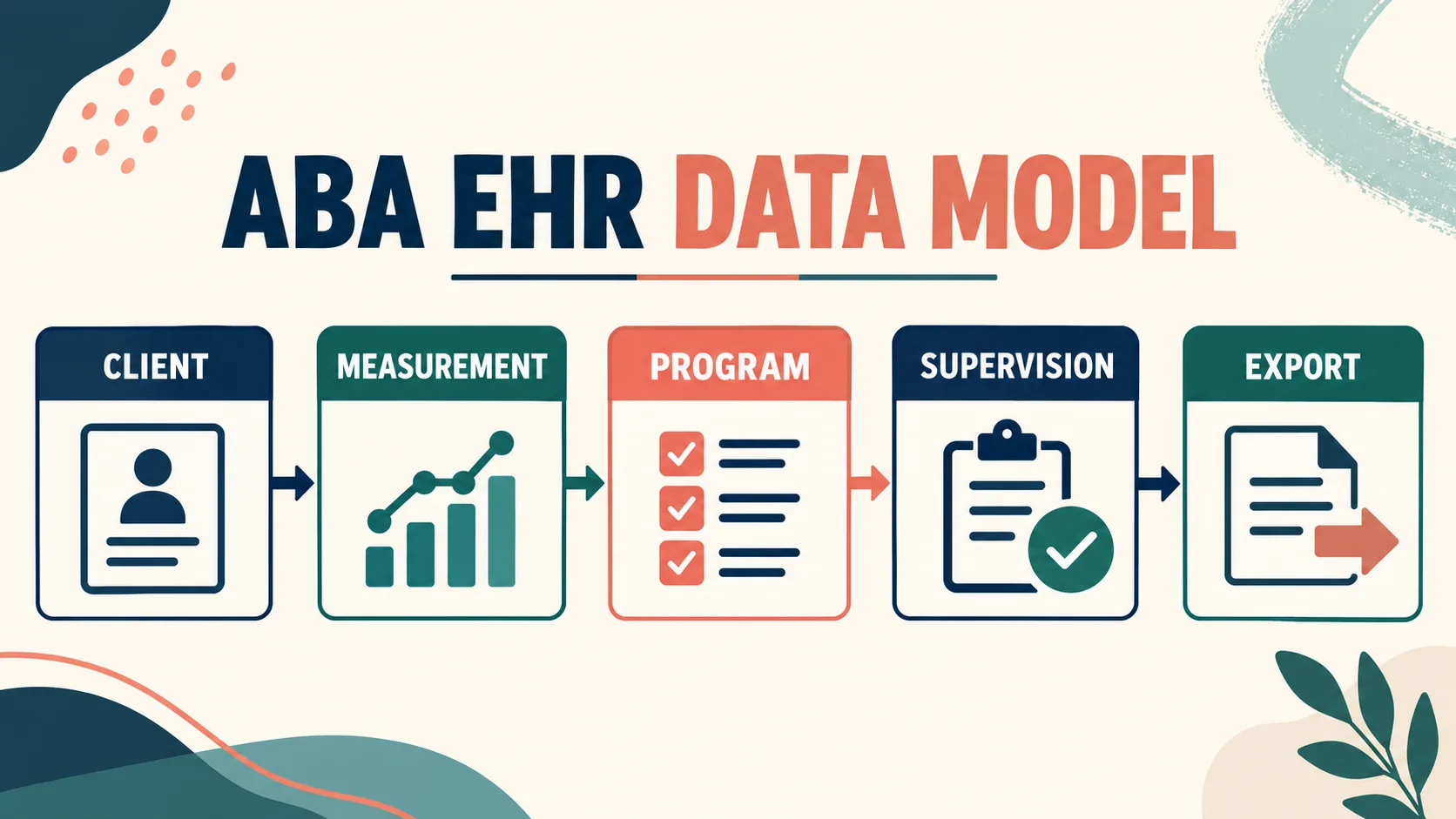
The data model determines whether your records are explainable. A good system lets you distinguish the learner, target, operational definition, measurement dimension, setting, observer, date, intervention version, and result. It should not force every observation into a single free-text note or make the graph look precise when the underlying entries are incomplete.
Run a small test using one realistic but de-identified scenario. Create a target with an operational definition, collect several observations, change one program variable, and ask the vendor to show what a supervisor sees. Then export the record. Can another trained person tell what was measured, under which conditions, and why the next decision was made? If not, the system may be convenient for data entry but weak for clinical review.
Pay attention to corrections. A defensible record should preserve the original entry, identify who changed it, show when the change happened, and avoid silently rewriting historical data. A correction workflow should be easy enough that staff do not resort to shared passwords, screenshots, or unexplained edits.
What Should You Check About Privacy and Security?
An EHR handles sensitive information, but “HIPAA compliant” is not a complete evaluation. The HHS Security Rule overview describes administrative, physical, and technical safeguards for electronic protected health information. Your organization still needs to understand its own obligations, configure the system correctly, train its workforce, and document its risk decisions. Ask the vendor to explain, in writing:
- Which information is stored, where it is hosted, and how it is encrypted in transit and at rest.
- How role-based access, multi-factor authentication, session timeouts, and least-privilege access are implemented.
- Whether the platform maintains audit logs for viewing, editing, exporting, and deleting records.
- How backups, disaster recovery, retention, deletion, and account termination work.
- Whether the vendor will sign a business associate agreement when its service creates, receives, maintains, or transmits ePHI on your organization’s behalf.
- How subcontractors, integrations, support staff, artificial-intelligence features, and data-training practices are governed.
HHS explains that a business associate contract must establish permitted uses and disclosures and require appropriate safeguards. Do not treat a badge, a sales-page promise, or a generic security questionnaire as a substitute for reading the agreement and matching it to your workflow. This article is an evaluation checklist, not legal advice; involve your privacy, compliance, or legal adviser when the facts require it.
Can an ABA EHR Replace BACB Fieldwork Documentation?
No. An EHR may help organize supervision notes, activities, dates, documents, and reminders, but software does not make an experience qualifying fieldwork. The BACB fieldwork guidance places responsibility on the candidate to meet the requirements and maintain documentation. It also warns candidates to check software calculations because the BACB does not work with or endorse fieldwork trackers.
That distinction matters when a platform uses the word “compliant.” Ask what the software actually calculates, what the supervisor must verify, which records are official, and how the system handles an applicable requirement change. Keep the handbook, forms, supervision agreement, and source records accessible. Use the EHR as an aid to review—not as an authority that can certify eligibility for you.
What Questions Should You Ask in a Demo?
Give every vendor the same scenario and score the answers. A consistent script makes products easier to compare and exposes claims that cannot be demonstrated.
- Show the complete record: Can you move from intake to assessment, program, session data, supervision, and report without re-entering the same facts?
- Show the measurement: Can the system preserve the operational definition and display the correct graph for each measurement type?
- Show a correction: Can a user fix an entry while preserving the original value, author, timestamp, and reason?
- Show permissions: What can a technician, BCBA, caregiver, biller, and administrator see, edit, approve, or export?
- Show an exit: If the clinic leaves, what exactly will it receive, in what format, and how long will the vendor retain copies?
- Show the contract: Where are the BAA, breach process, subprocessors, service-level commitments, support access, and data-use terms?
Record the answer and the evidence. If a salesperson says “yes” but cannot show the screen, export, permission rule, or contract language, mark the item as unverified. That simple discipline prevents a low price or attractive interface from hiding an expensive operational gap.
How Do You Plan Implementation and Migration?
Implementation is a clinical change project, not merely a software login. Start with a data inventory and decide which records are active, which must be archived, which require correction, and which should never be migrated because they are duplicates or unverified. Create a field map for names, identifiers, dates, targets, measurement units, notes, attachments, signatures, and authorization periods.
Use a small pilot before a full launch. Have staff enter the same de-identified scenario, compare the resulting graph and note, test offline recovery, and ask a supervisor to review the audit trail. Train people on the workflow and the reason for each required field, not just the button sequence. Establish a process for downtime, corrections, access changes, and vendor support.
During the first review cycle, compare the new reports with the old process. Look for missing observations, duplicated goals, unexplained data shifts, unapproved program changes, and notes that are technically complete but clinically vague. A system is successful when it improves the quality and traceability of decisions, not merely when the team stops using paper.
- Ownership: Name the BCBA, operations lead, privacy contact, and vendor contact for each implementation decision.
- Validation: Compare a de-identified record, graph, note, signature, and export against the source record before launch.
- Training: Teach staff how to enter, correct, review, and escalate data—not only where to click.
- Downtime: Write the temporary workflow for outages, late entries, corrections, and later reconciliation.
- Exit: Keep a written export test and renewal checkpoint so the clinic can reassess fit before the next contract term.
What Is the Fastest Way to Choose?
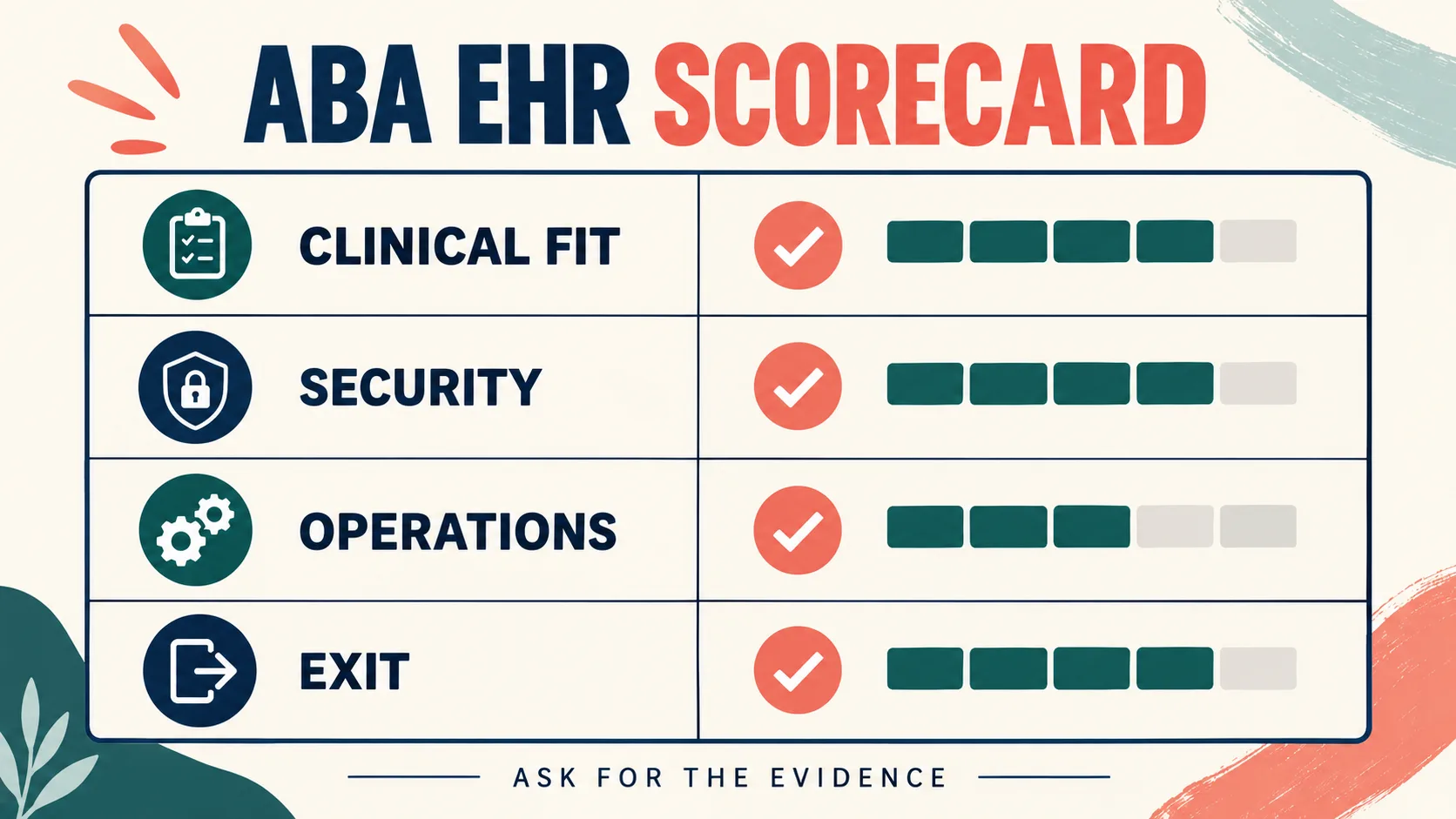
Use a weighted scorecard with five categories: clinical data fit, supervision and collaboration, privacy and security, reporting and interoperability, and total cost of ownership. Give each category a weight that reflects your clinic’s risk. For a small practice, exportability and access controls may matter more than a large billing suite. For a multi-site provider, permissions, integrations, downtime, and support response may dominate the decision.
| Scorecard question | Pass condition | Warning sign |
|---|---|---|
| Clinical fit | The product preserves definitions, measurements, versions, and decisions | Everything becomes a free-text note |
| Security fit | Access, audit, backup, breach, and BAA terms are documented | “HIPAA compliant” is the only answer |
| Operational fit | Staff can complete the workflow under realistic conditions | A demo works only with vendor assistance |
| Exit fit | The clinic can retrieve usable records and history | Exports are unclear, costly, or incomplete |
Choose the platform with the clearest evidence, not the one with the most promises. Once the workflow is stable, BCBAs and candidates can use the site’s BCBA supervision tracking guide for documentation concepts and the free BCBA mock exam for structured study practice. Neither replaces the BACB handbook, your organization’s privacy program, or professional judgment.
ABA EHR FAQ
Is an ABA EHR the same as an ABA data collection app?
Not necessarily. A data collection app may focus on session entries and graphs, while an EHR may also manage client records, assessments, programs, notes, documents, authorizations, permissions, and exports. Some products combine both; others integrate with a separate EHR. Compare the actual workflow rather than the product label.
Does every ABA EHR need to be HIPAA compliant?
The answer depends on the organization, service, information, and relationship involved. If a vendor creates, receives, maintains, or transmits protected health information for a covered entity or business associate, HIPAA obligations may apply, including contract and safeguard requirements. Confirm the facts with your compliance or legal adviser and ask the vendor for the written terms that fit your use case.
Can an EHR prove that a BCBA candidate completed fieldwork?
No. It can organize records and support review, but the candidate, supervisor, program, and BACB requirements determine whether the experience qualifies. Keep source documentation and verify the current rules instead of treating an automated total as a certification decision.
Key Takeaway
ABA EHR software should make behavior-analytic evidence easier to collect, review, protect, and explain. Start with the workflow, test the measurement model, inspect corrections and exports, read the privacy and BAA terms, and keep BACB requirements separate from vendor claims. A trustworthy decision is one your clinical team, privacy lead, supervisor, and future self can audit later.
Take the Free BCBA Mock Exam
When you are ready to apply the idea, use the free practice resource below for additional feedback. Take the Free BCBA Mock Exam