
A visual schedule ABA support makes upcoming activities, routines, choices, or changes visible through objects, photos, symbols, words, or a combination. Learn how to choose an accessible format, teach schedule use, fade prompts, and measure meaningful outcomes.
Table of Contents
- What Is a Visual Schedule ABA Support?
- What Types of Visual Schedules and Supports Exist?
- How Should You Choose the Visual Format?
- How Is a Visual Schedule Different From an Independent Activity Schedule?
- How Do You Introduce and Teach a Visual Schedule?
- How Should Prompts Be Faded?
- How Do You Measure Visual Schedule Use?
- How Can Visual Schedules Support Transitions and Changes?
- What Common Visual Schedule Mistakes Should You Avoid?
- What Ethical and Person-Centered Checks Matter?
- How Is Visual Schedule ABA Tested on the BCBA Exam?
- What Is the Bottom Line?
- Quick Review Checklist
- Take the Free BCBA Mock Exam
A visual schedule ABA support turns information that might otherwise disappear after a spoken instruction into something the learner can look at, touch, revisit, and use. It may show the order of a morning routine, the steps in a work period, the next transition, or a choice between available activities. The schedule is not automatically an intervention just because it contains pictures. Its value depends on whether the learner can access the information and whether the support answers a real question.
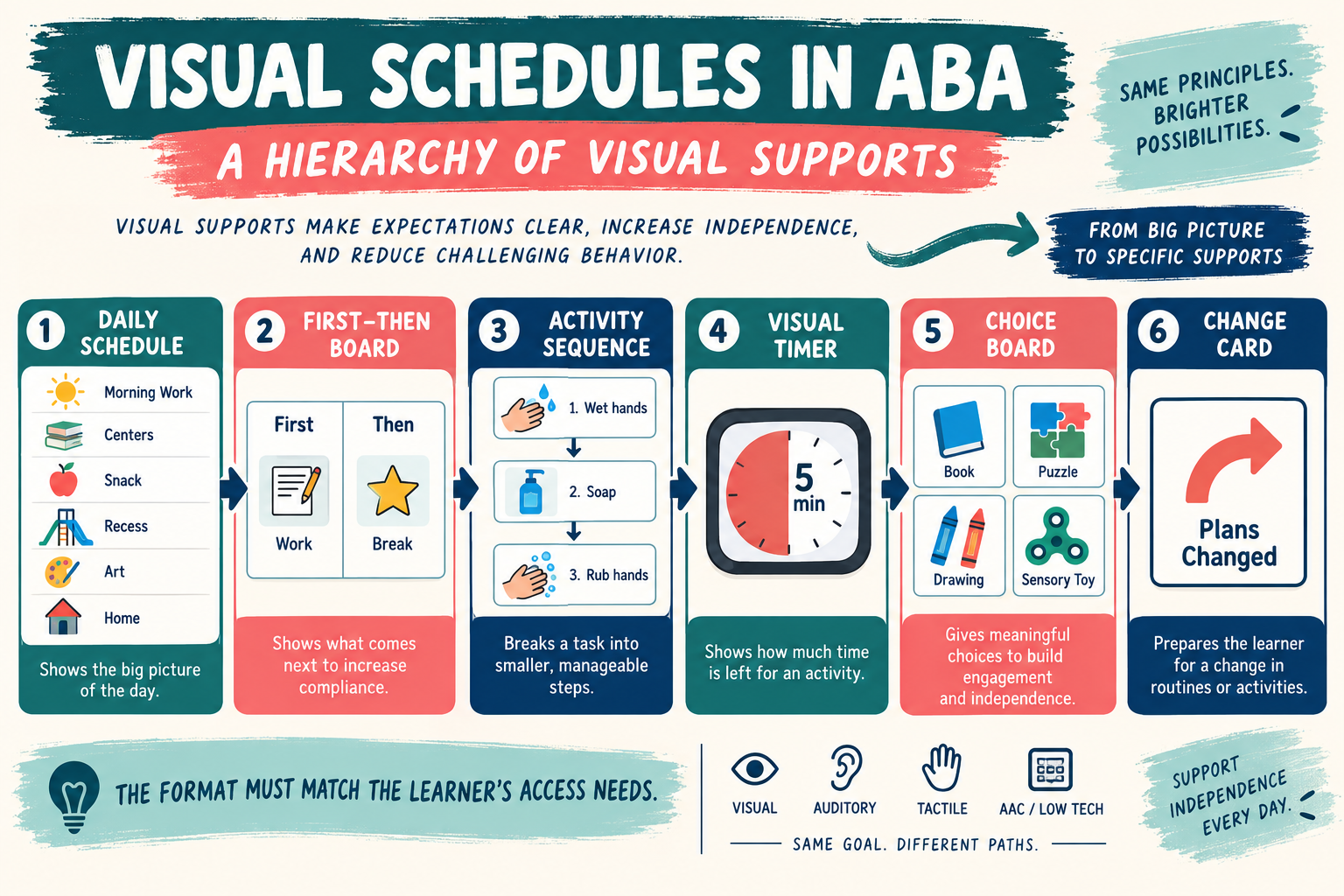
Some learners need a whole-day schedule. Others need a first-then board, a short activity sequence, a visual timer, a change card, or a written checklist. A visual schedule can support predictability and communication without requiring the learner to rely on spoken language alone. It can also be used with an independent activity schedule when the learner is taught to check the cue, complete the activity, and move to the next one.
This guide is for BCBA study and general education. The BACB task-list materials provide professional exam context, but no single visual format works for every person. The design, teaching plan, data system, and safety decisions should be individualized and reviewed by qualified professionals.
What Is a Visual Schedule ABA Support?
A visual schedule ABA support represents upcoming activities, events, or steps in a sequence with information the learner can see or handle. Common formats include real objects, object representations, photographs, icons, line drawings, written words, or a mixed format. The schedule may be horizontal, vertical, portable, posted on a wall, placed in a notebook, or delivered through a device.
The schedule answers at least one of these questions: What is happening now? What happens next? When is the activity finished? What choices are available? What changed? What can I do if I need help or a break? A useful schedule is therefore a communication support, not just a decoration or a reminder for adults.
Teaching the learner to use the schedule matters. The learner may need to orient to the cue, discriminate the symbol, move or check the item, begin the activity, and return for the next cue. If an adult points to every item and verbally repeats the instruction, the learner may complete the routine without actually using the visual information independently.
What Types of Visual Schedules and Supports Exist?
Visual schedules sit inside a larger family of visual supports. The best choice depends on the size of the routine, the amount of information required, and the learner’s access needs.
- Whole-day or routine schedule: shows a broad sequence such as arrival, work, lunch, and departure.
- First-then board: presents two linked events, often to clarify what happens before and after a short task.
- Activity sequence: breaks a routine into a series of steps, such as handwashing or a classroom work system.
- Visual timer: makes the passage or remaining amount of time more concrete; it does not by itself teach a schedule sequence.
- Choice board: displays available options and can support communication and shared control.
- Change card: signals that the usual plan has changed and can be paired with a new activity or explanation.
- Checklist or written schedule: uses text when the learner can access and prefer written information.
These tools can be combined, but more visuals are not automatically better. A crowded board can create competing stimuli and make the next response unclear. Start with the smallest support that answers the learner’s question, then adjust based on observation and data.
How Should You Choose the Visual Format?
Choose the format from the learner’s current skills and preferences rather than from an adult’s idea of what looks attractive. Consider visual discrimination, receptive and expressive communication, reading, object-to-picture matching, motor access, sensory preferences, attention, and the setting in which the schedule will be used.
Objects may be more concrete than photographs for one learner, while written words may be faster and more dignified for another. A photo of “work” may be too broad if the learner needs to know whether the next step is sorting, writing, or cleaning. A symbol may be useful when it is consistently paired with the activity. The schedule should be understandable before it is made more elaborate.
How Is a Visual Schedule Different From an Independent Activity Schedule?
A visual schedule is the broad category. An independent activity schedule is a particular teaching use in which the learner interacts with the sequence to initiate and move through activities with less adult direction. A schedule can support transitions without requiring independent operation, and it can be helpful even when an adult remains involved.
| Support | Main question answered | What to measure |
|---|---|---|
| Visual schedule | What activities or events are coming? | Orientation, understanding, transition, communication, and reduced reliance on repeated verbal cues |
| First-then board | What happens first and what follows? | Understanding of the relation, task initiation, and transition to the second event |
| Activity sequence | What steps make up this routine? | Correct step completion, prompts, errors, and generalization |
| Visual timer | How much time remains or when will the interval end? | Transition, waiting, or activity-duration response—not schedule use by itself |
How Do You Introduce and Teach a Visual Schedule?
Begin with a routine that has a clear purpose and activities the learner can actually access. Pair the visual cue with the activity so the learner contacts the relation between the symbol and what happens. Model the routine as needed, provide an appropriate prompt, and reinforce useful schedule interactions such as checking the next item, making a choice, or requesting help.
Teach the response chain explicitly. A learner might need to learn to walk to the schedule, look at the first item, retrieve the matching materials, complete the activity, move the item to a finished location, and check what comes next. The sequence can be shortened while those component responses are being established.
Keep the language consistent but do not let repeated verbal directions become the only cue. If a change is expected, show the change and provide an accessible explanation. If an activity is unavailable, update the schedule rather than leaving the learner to discover that the visual information is inaccurate.
How Should Prompts Be Faded?
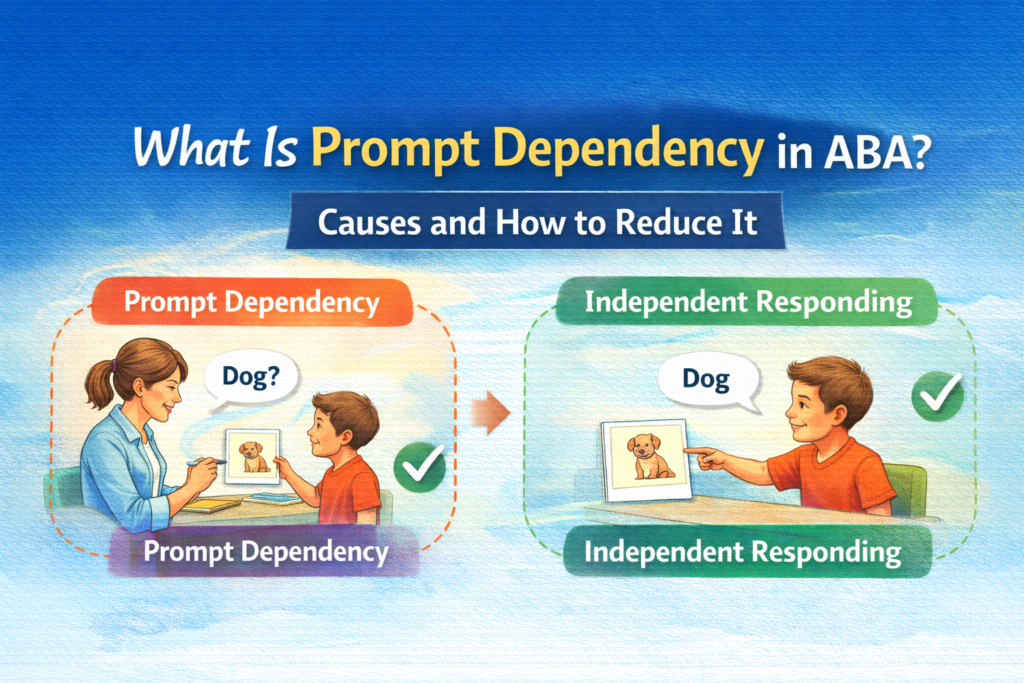
Prompt fading transfers control from adult assistance to the schedule cue and the natural activity context. Record which prompt was needed and at which part of the routine. A learner may independently check the schedule but still need help to start the activity or transition after finishing.
A prompt can be faded by reducing its intensity, delaying it briefly, changing its position, or using a less intrusive cue when the learner is ready. The plan should be individualized. Fading should not mean removing a necessary communication support or ignoring a learner who is signaling confusion, pain, refusal, or a need for a break.
Do not score a response as independent merely because the adult did not physically guide the learner. A repeated verbal reminder, pointed finger, gaze shift, or strategically placed material may still function as a prompt. Define the independence criterion before reviewing the data.
How Do You Measure Visual Schedule Use?
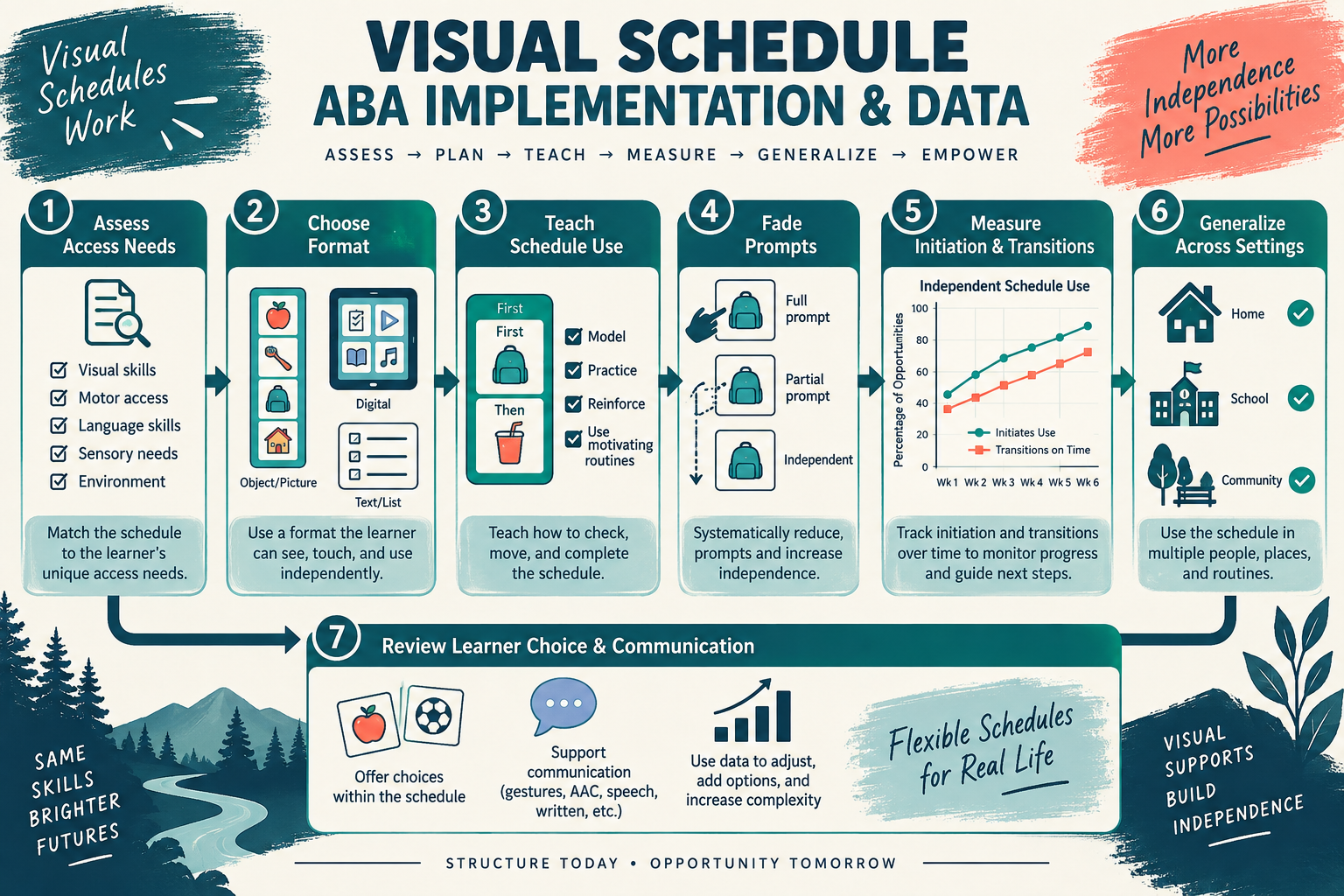
Measurement should match the reason for using the schedule. If the goal is transition support, measure transitions. If the goal is communication, measure requests and choices. If the goal is independent routine completion, measure schedule interactions and prompt levels separately from task completion.
- Schedule orientation: did the learner look at or touch the relevant cue when an opportunity occurred?
- Correct cue use: did the learner select or follow the current item rather than a different item?
- Task initiation: did the learner begin the activity after checking the schedule?
- Transition: did the learner move to the next activity within the defined window?
- Prompt level: what was the least or most intrusive assistance needed?
- Communication and choice: did the learner request help, pause, change, or an available option?
- Generalization: did the response occur across people, settings, formats, and routines?
Use a clear denominator. “The schedule worked 80% of the time” is too vague to guide a decision. State whether the denominator was transitions, scheduled items, opportunities to check the cue, or complete routines. Also record when no opportunity occurred because the activity was canceled or the schedule was unavailable.
How Can Visual Schedules Support Transitions and Changes?
Showing what comes next can make a transition more predictable, but a visual schedule is not a promise that every day will follow the same sequence. The learner may need a change card, a choice between alternatives, a timer, a break option, or an explanation of why the change happened.
Plan how the schedule will communicate unexpected events. A changed item can be crossed out, moved, covered, or replaced depending on what the learner understands. Avoid changing the visual in a way that looks like the learner caused the cancellation. The purpose is to make the new information available, not to punish the learner for reacting to a change.
What Common Visual Schedule Mistakes Should You Avoid?
- Using a format the learner cannot access: a written schedule is not helpful when the relevant text is not yet meaningful.
- Showing too much information: a full week may be less useful than the next two activities when the decision is immediate.
- Confusing adult organization with learner support: a staff schedule may not answer the learner’s question.
- Ignoring prompt dependence: task completion after constant verbal direction is not independent schedule use.
- Failing to update unavailable activities: inaccurate cues can reduce trust and increase confusion.
- Removing choice and communication: a schedule should not become a rigid compliance device.
- Measuring the wrong outcome: fewer transition behaviors do not automatically prove that the learner understood the schedule.
What Ethical and Person-Centered Checks Matter?
The BACB ethics resources are relevant because a visual support should improve access, dignity, communication, and meaningful participation. Ask whether the schedule reflects the learner’s preferences, language, culture, sensory profile, and ability to refuse or request change.
Visual supports should not be used to suppress harmless self-expression or to make a person appear compliant for adult convenience. If the learner communicates distress, pain, or a need for a break, the team should interpret that information rather than simply redirecting the learner to the next card. A flexible schedule can support independence while preserving choice.
How Is Visual Schedule ABA Tested on the BCBA Exam?
Exam questions may ask you to identify a visual support, select an appropriate format, evaluate a prompt-fading plan, or choose a measurement system. Look for the answer that starts with the learner’s skills and the target question. The most technically elaborate visual is not automatically the best choice.
Another common distractor is treating a visual schedule as an automatic reinforcer or assuming that it will work without teaching. A schedule is a stimulus arrangement. The learner must learn how to use it, and the team must evaluate whether the intended outcome—understanding, communication, transition, or independent participation—is changing.
What Is the Bottom Line?
A visual schedule ABA support makes routines, choices, steps, and changes visible in a format the learner can access. Good design begins with a meaningful question, uses the least complicated effective format, teaches schedule interaction, fades prompts carefully, and measures the outcome that matters.
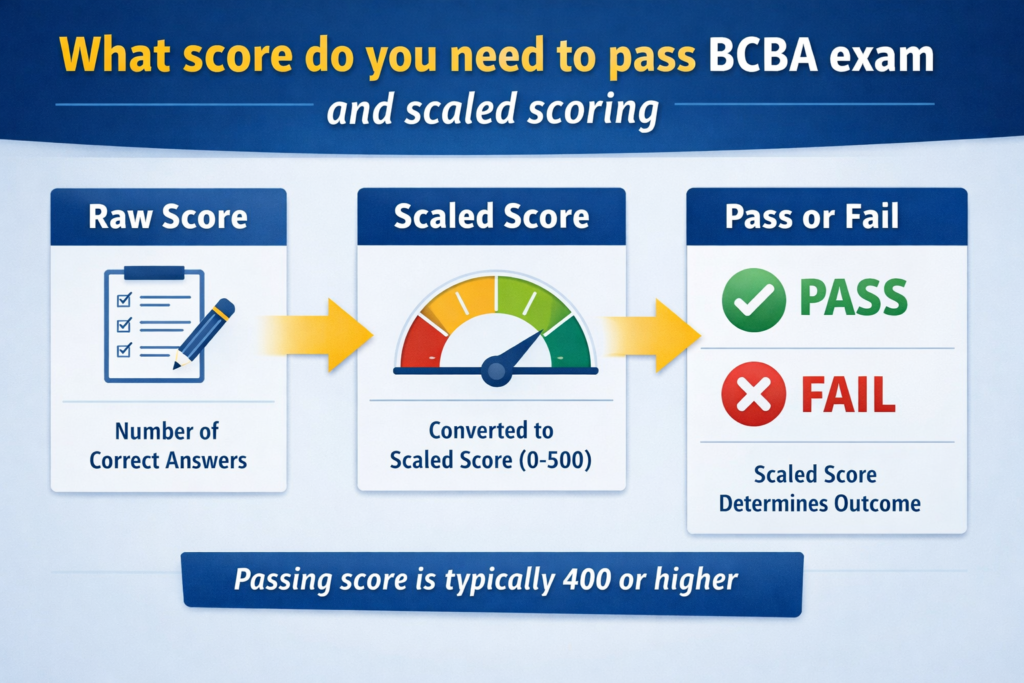
For a structured review of prompting, measurement, visual supports, and related BCBA concepts, try the free BCBA mock exam. Practice questions can sharpen exam reasoning, but they do not replace supervision, assessment, or an individualized professional plan.
For targeted review, use our visual schedule ABA practice questions to apply the concept in exam-style scenarios.
Quick Review Checklist
Use this final checklist to turn visual schedule ABA into exam-ready reasoning. The goal is not to memorize a label in isolation; it is to identify the relevant evidence and explain why the best answer fits the scenario. Key ideas to review:
- State the central definition or decision point for visual schedule ABA in your own words.
- Identify the detail that makes visual schedule ABA different from its closest related ABA term.
- Separate the observable facts in a scenario from assumptions that are not supported by the facts.
- Write one example and one nonexample so you can recognize the concept in a new setting.
Exam application checks:
- Ask what the question is actually requesting before comparing the answer choices.
- Mark the antecedent, response, consequence, or other evidence that supports the selected answer.
- Look for a distractor that describes a related process but does not answer the specific question.
Final self-check:
- Explain how you would verify the interpretation with clear observations or data.
- Change one detail in the scenario and decide whether your answer should change.
- Give a one-sentence rationale that a supervisor or study partner could evaluate.
Take the Free BCBA Mock Exam
When you are ready to apply the idea, use the free practice resource below for additional feedback. Take the Free BCBA Mock Exam