
When people search for ABA thumbnails, they may mean a YouTube cover, a study infographic, or a visual card used inside a clinical or educational setting. Those are different jobs. A thumbnail that wins a click is not automatically a good study aid, and a study visual is not automatically appropriate as a clinical handout.
Table of Contents
- ABA Thumbnails: Name the Visual Job Before Designing
- Use Four Elements in One BCBA Study Visual
- Turn a Measurement Idea Into an ABA Thumbnail
- Compare Video Covers, Study Infographics, and Clinical Materials
- Run an Accuracy and Readability Check
- Use an ABA Thumbnail as a Study Prompt
- Practice the Concept, Not Just the Click
- Quick Review Checklist
- Take the Free BCBA Mock Exam
For a BCBA exam-prep audience, the standard is simple: the visual should make one behavioral-analysis idea easier to identify, remember, and apply without changing its meaning. This guide shows how to choose the visual type, write accurate text, and connect a thumbnail to a useful next action.
ABA Thumbnails: Name the Visual Job Before Designing
Start with the question the image must answer. If the goal is a video click, the thumbnail needs a short promise that matches the video. If the goal is concept retrieval, the visual needs a stable cue that points to the decision rule. If the goal is clinical communication, the material must be reviewed for context, audience, accessibility, and professional boundaries.
For BCBA study content, use the phrase “thumbnail” carefully. A video cover can introduce “Momentary Time Sampling: Score the Exact Moment.” A study card can show “Momentary = snapshot.” Neither one should imply that a single percentage is a clinical conclusion without the observation context. Clear design starts by refusing to make the image do a job it cannot safely do.
| Visual job | Primary question | Main risk |
|---|---|---|
| Video thumbnail | Why should the learner open this lesson? | A dramatic promise that the video does not support. |
| Study infographic | What cue helps me retrieve the concept? | Too much text or a shortcut that changes the definition. |
| Clinical material | What information supports this person and plan? | Using a generic visual without individual assessment or context. |
Use Four Elements in One BCBA Study Visual
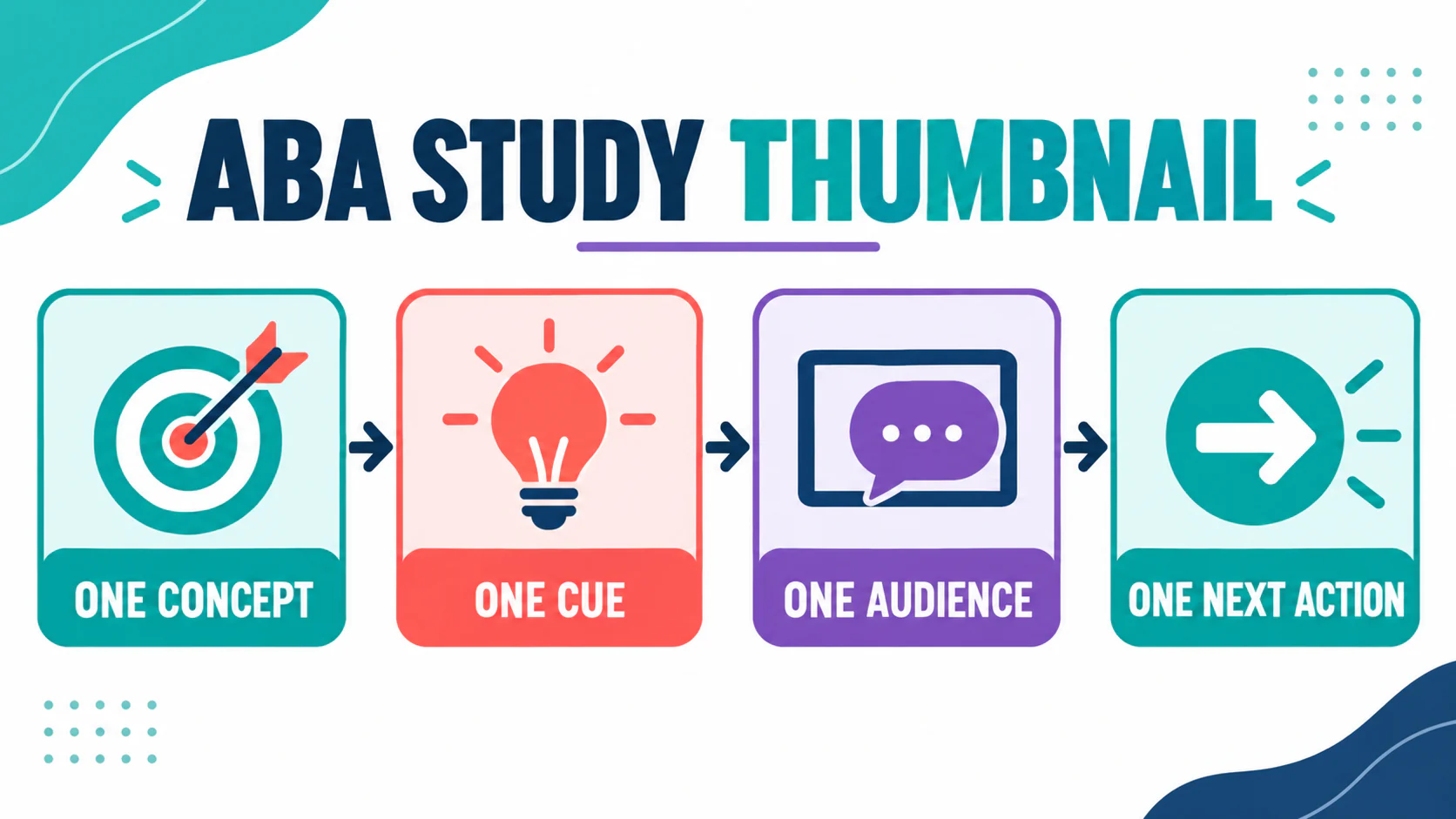
A strong study thumbnail does not try to summarize an entire textbook chapter. It gives the learner four anchors:
- One concept: name the exact topic, such as reinforcement, latency, or momentary time sampling.
- One cue: add the phrase that distinguishes it, such as “at the exact moment” or “time until response begins.”
- One audience: write for a BCBA candidate, a caregiver, or a professional team—not everyone at once.
- One next action: tell the learner to calculate, compare, define, or answer a practice question.
This structure makes the image useful even when it is small. The learner can see the topic, retrieve the cue, and know what to do next. Color then supports the hierarchy rather than carrying the meaning alone. A teal box may signal a definition and a coral box may signal an action, but the text must still make sense in grayscale or to someone who has a color-vision difference.
Turn a Measurement Idea Into an ABA Thumbnail
Take a measurement concept such as momentary time sampling. A weak thumbnail might say “Master ABA Data Fast,” which is broad and difficult to verify. A stronger version says “Momentary Time Sampling: Score the Exact Moment.” The second version names the concept and gives the cue that separates it from partial-interval recording.
Now test the visual against the measurement rule. If the image says “watch the whole interval,” it has changed the procedure. If it says “percentage equals time engaged,” it has changed the interpretation. A correct study visual can be short, but it cannot be careless.
Use the same audit for other topics. For reinforcement, ask whether the visual shows a future-probability change rather than merely something pleasant. For latency, ask whether it shows the time from the stated event to the start of the response. For an antecedent-behavior-consequence sequence, ask whether each element is in the correct position. The thumbnail is a cue; the cue must point in the right direction.
Compare Video Covers, Study Infographics, and Clinical Materials
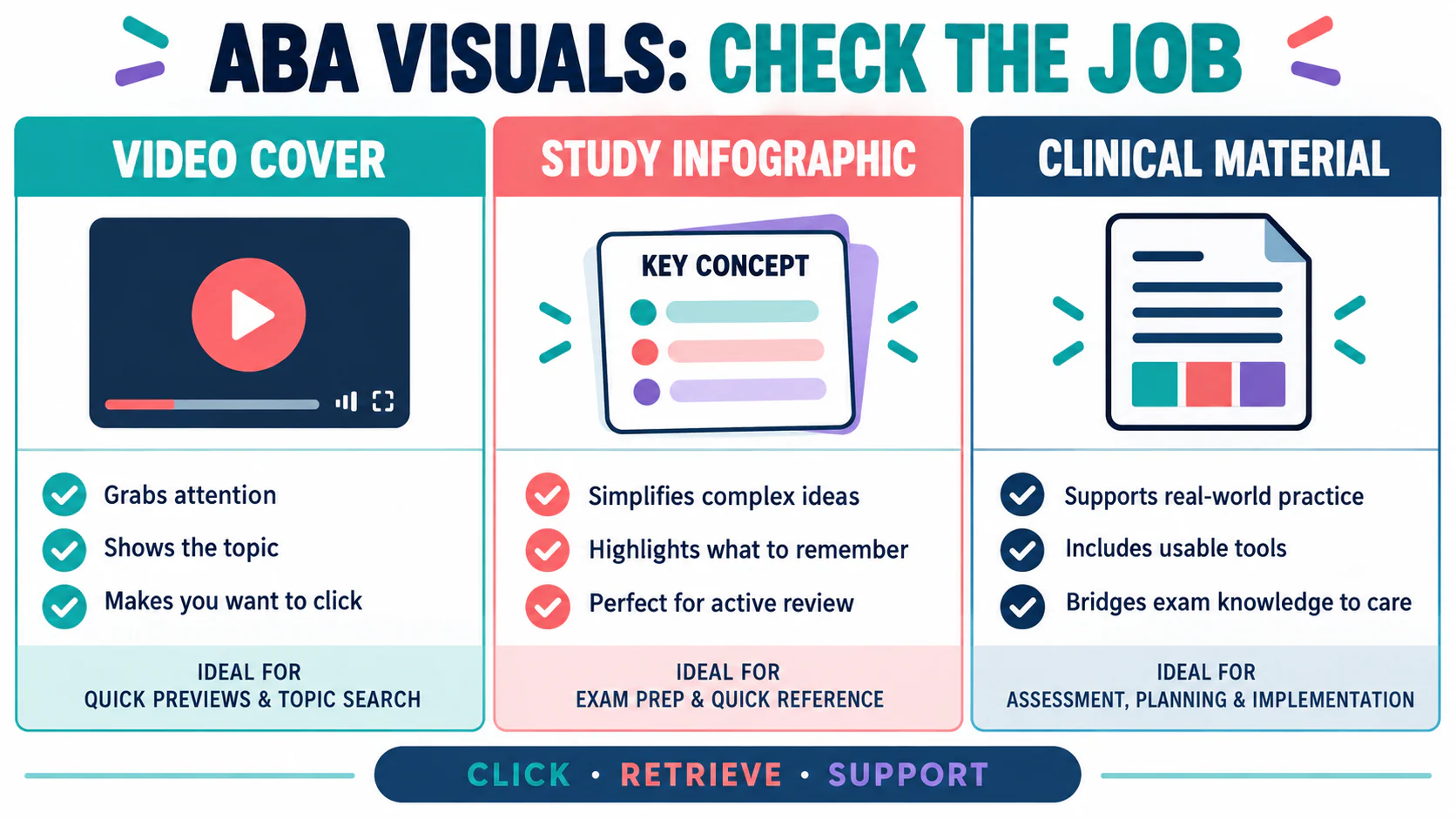
One visual can be attractive and still be wrong for the task. Before reusing an image, classify it. The table below keeps the boundaries visible.
| Feature | Video cover | Study infographic | Clinical material |
|---|---|---|---|
| Length | Very short promise. | Short rule plus one example. | Enough detail for the individual and team. |
| Success test | The click matches the lesson. | The learner retrieves and applies the idea. | The team can use it accurately and ethically. |
| Text risk | Clickbait or a guarantee. | Oversimplification. | False universality or missing context. |
| Best CTA | Watch the lesson. | Answer a practice question. | Review with the responsible team. |
Run an Accuracy and Readability Check
Before publishing or studying from an ABA thumbnail, run five checks:
- Topic check: Is the named concept specific enough to verify?
- Definition check: Does the short text preserve the feature that makes the concept distinct?
- Example check: Would a learner know what to count, observe, or compare?
- Audience check: Is the visual clearly for exam study, a video introduction, or clinical communication?
- Promise check: Does the image avoid guarantees about scores, diagnosis, treatment, or outcomes?
Then reduce the image to a small preview. Can you read the headline? Is the most important phrase visually dominant? Are icons supporting the words rather than replacing them? If the answer depends on tiny text, remove the tiny text and move the detail into the article or lesson.
For exam-prep materials, anchor broad claims to the current BACB Test Content Outline. The outline tells you the official content boundary; it does not certify your thumbnail, course, or practice score. That distinction keeps the visual useful without giving it authority it does not have.
Use an ABA Thumbnail as a Study Prompt
A thumbnail becomes more valuable when it starts a retrieval routine. After you see the image, close it and answer one question from memory. If the visual says “latency,” state the start event, the response onset, and the unit of time. If it says “whole interval,” explain what must be true for a yes score. If you cannot answer, the image has identified a study gap.
- Look at the concept title for three seconds.
- Say the cue and definition without reading the supporting text.
- Work one original mini-scenario.
- Compare your answer with the rule, not with the color or icon.
- Record the error in a short review log and revisit it later.
This is why “more information” is not always better design. A crowded visual can feel educational while reducing retrieval. One concept, one cue, one audience, and one next action is a better starting point than a collage of every ABA term.
Practice the Concept, Not Just the Click
Use the Free BCBA Mock Exam after a thumbnail-led study session. Let the practice question test whether you can recognize and apply the concept when the colors, layout, and headline are gone. Review the explanation, note the decision rule you missed, and update the visual only if the correction is supported by the source.
A high-performing visual may earn attention, but a high-quality BCBA visual earns accurate retrieval. Design for the second result. When the thumbnail is clear, the lesson is honest, and the practice step is specific, the image becomes part of a study system rather than decoration.
Are ABA thumbnails only for YouTube?: No. The term can refer to video covers, study cards, or other small visual previews. Choose the format based on the job, and do not reuse a video cover as if it were a complete clinical or study handout. What should an ABA study thumbnail include?: Start with one concept, one distinguishing cue, one audience, and one next action. Keep the headline readable and move detailed explanations into the lesson or article.
Can a thumbnail simplify an ABA concept?: It can simplify the presentation, but it should not change the behavioral relation or measurement rule. Test the short text against an official outline or a trusted explanation before relying on it. For targeted review, use our aba thumbnails practice questions to apply the concept in exam-style scenarios.
Quick Review Checklist
Use this final checklist to turn aba thumbnails into exam-ready reasoning. The goal is not to memorize a label in isolation; it is to identify the relevant evidence and explain why the best answer fits the scenario. Key ideas to review:
- State the central definition or decision point for aba thumbnails in your own words.
- Identify the detail that makes aba thumbnails different from its closest related ABA term.
- Separate the observable facts in a scenario from assumptions that are not supported by the facts.
- Write one example and one nonexample so you can recognize the concept in a new setting.
Exam application checks:
- Ask what the question is actually requesting before comparing the answer choices.
- Mark the antecedent, response, consequence, or other evidence that supports the selected answer.
- Look for a distractor that describes a related process but does not answer the specific question.
Final self-check:
- Explain how you would verify the interpretation with clear observations or data.
- Change one detail in the scenario and decide whether your answer should change.
- Give a one-sentence rationale that a supervisor or study partner could evaluate.
Take the Free BCBA Mock Exam
When you are ready to apply the idea, use the free practice resource below for additional feedback. Take the Free BCBA Mock Exam