
ABA client appointment automation can reduce scheduling back-and-forth, prevent avoidable overlaps, surface authorization limits, and route cancellations to the right owner. It should not silently decide whether a service is clinically appropriate, covered by a payer, safe for a client, or within a supervisor’s capacity.
Table of Contents
- What Is ABA Client Appointment Automation?
- What Should Automation Do—and Not Do?
- Which Inputs Must Be Accurate First?
- Which Scheduling Rules Should Be Explicit?
- How Should Alerts and Exceptions Work?
- How Do You Compare Appointment Automation Tools?
- What Privacy and Consent Controls Are Needed?
- How Do You Pilot the Workflow?
- How Does This Connect to the BCBA Exam?
- ABA Appointment Automation Checklist
- Take the Free BCBA Mock Exam
This guide is for ABA practice owners, schedulers, BCBAs, operations leads, and administrators evaluating an automation tool. It is a workflow framework, not a vendor ranking, legal opinion, privacy certification, billing guarantee, or clinical recommendation. Test the rules with de-identified cases and keep human review for exceptions. Table of Contents
What Is ABA Client Appointment Automation?
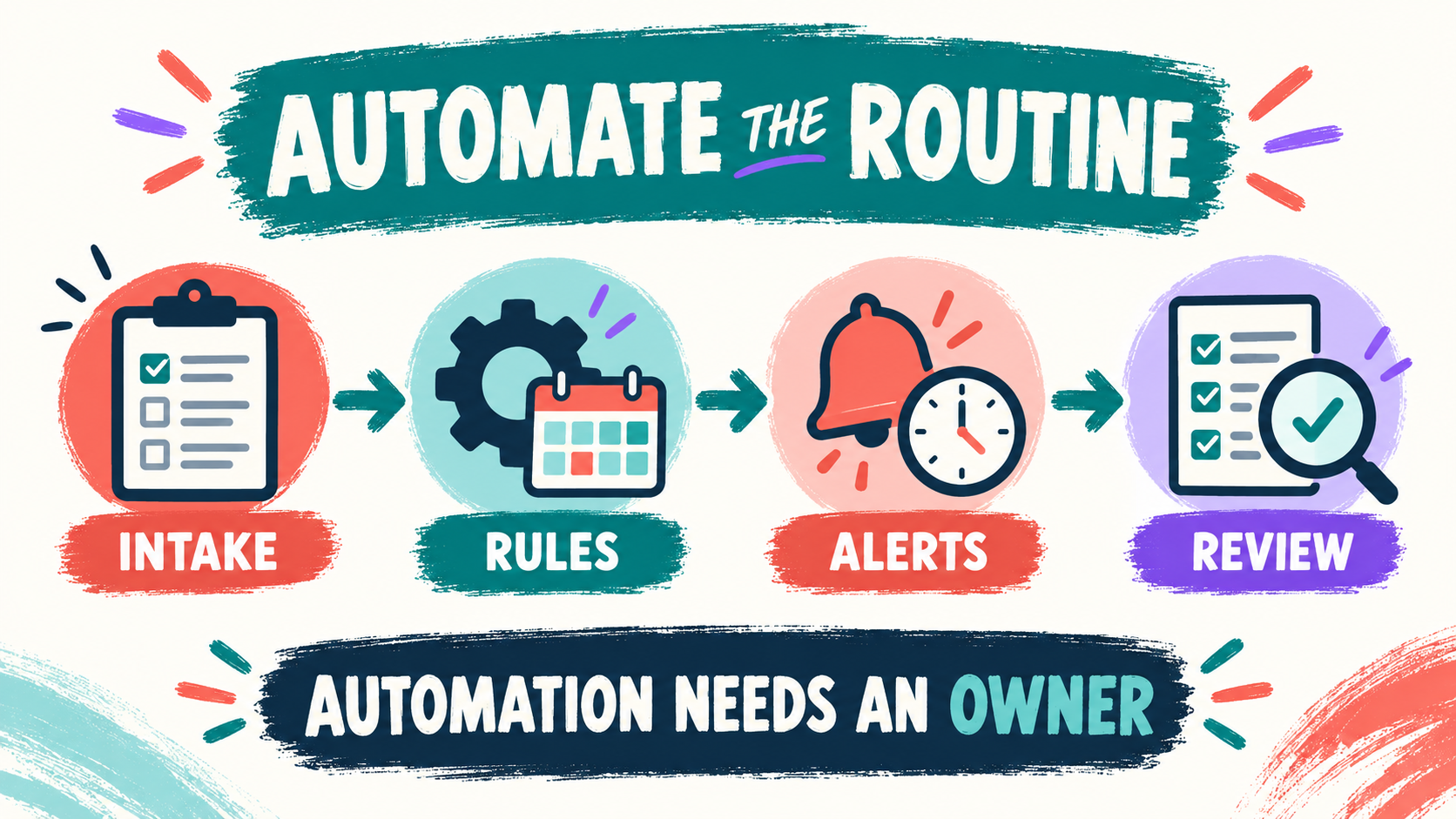
ABA client appointment automation is the use of software rules, reminders, matching tools, or controlled integrations to reduce repetitive work around appointments. Depending on the practice, it may help collect intake availability, match staff to clients, check recurring-session conflicts, account for travel time, send reminders, flag an approaching authorization limit, or create a task when a cancellation needs follow-up.
The phrase ABA client appointment automation can describe anything from a simple reminder sequence to a connected practice-management system. Those are not equivalent. A reminder is a narrow communication function. A scheduling engine may use staff availability, client preferences, locations, supervision windows, payer limits, and service codes. The more inputs a system uses, the more important it is to document the source, owner, rule, and review point for each one.
A good system makes routine work quieter while making exceptions more visible. It should tell the team why an appointment was suggested, which rule blocked an option, what information is missing, and who must decide next. “Automatic” should mean a repeatable administrative step—not an invisible clinical decision.
What Should Automation Do—and Not Do?
Start by separating tasks that are mechanical, rule-based, and clinical. Mechanical tasks may be automated when the input and outcome are clear. Rule-based tasks can be automated when the practice has documented the rule and a way to review exceptions. Clinical decisions should remain with the qualified professional responsible for the case.
- Good automation candidates: reminders, duplicate-entry reduction, conflict flags, task routing, waitlist notifications, and recurring calendar updates after approval.
- Conditional candidates: provider-client matching, travel optimization, authorization warnings, and replacement suggestions that require a named owner to approve.
- Do not delegate silently: clinical necessity, treatment-plan changes, consent, crisis decisions, supervision sufficiency, or a judgment that a client should receive fewer or different services.
The BACB’s BCBA overview describes BCBAs as independent practitioners who provide behavior-analytic services and supervise other personnel. That responsibility does not disappear because a calendar, optimizer, or alert system made a suggestion; the qualified professional still owns the judgment and documentation.
Which Inputs Must Be Accurate First?
Automation cannot repair an inaccurate schedule. Before turning on matching or alerts, identify the source, owner, update cadence, and review path for each input so the team knows what the system is allowed to trust:
- Client information: preferred times, setting, communication needs, consent status, travel constraints, and availability.
- Staff information: availability, role, training, competency, supervision relationship, location, travel time, and time-off.
- Service information: appointment type, expected duration, setting, units, authorization dates, and documentation requirements.
- Practice rules: cancellation policy, minimum notice, travel radius, overlap limits, supervision windows, and escalation paths.
- Communication preferences: who may receive a reminder, which channel is approved, and what information may appear in a message.
Define a freshness rule as well. If a staff member’s availability changed yesterday but the automation still uses last month’s record, a mathematically valid recommendation can be operationally wrong. Show the last-updated time, reject stale inputs where possible, and give staff a fast way to report an error.
Which Scheduling Rules Should Be Explicit?
Write rules in plain language before translating them into software settings. A rule should identify the condition, the action, the priority, the person who can override it, and the record that proves the decision. Examples include:
- Do not place an appointment outside the client’s approved service window unless the authorized decision-maker confirms the change.
- Do not schedule a provider for overlapping appointments, travel that cannot be completed safely, or work that exceeds the person’s documented availability.
- Do not use a provider for a task that requires training, credentialing, or supervision the person does not have.
- Flag an appointment that may exceed an authorization limit; do not treat the flag as a coverage decision.
- Route a change affecting treatment, supervision, consent, or safety to the appropriate qualified reviewer.
Some scheduling pages describe controls for overlap prevention, service limits, provider qualifications, or authorization configurations. Treat those descriptions as feature claims to verify in a realistic demo. Ask what happens when a rule conflicts with another rule, when the data are missing, and when an authorized human must make an exception.
How Should Alerts and Exceptions Work?
An alert is useful only if someone knows what it means and what to do next. Too many low-value notifications train people to ignore the urgent ones. Design alerts around action, not information volume.
| Event | First action | Human owner |
|---|---|---|
| Cancellation | Record the reason, protect the client’s communication preference, and show replacement options. | Scheduler or designated operations lead |
| Authorization warning | Check the payer record and units; do not automatically promise coverage. | Credentialing, billing, or clinical owner |
| Supervision conflict | Hold or reroute the appointment until the supervision plan is confirmed. | Responsible BCBA or clinical lead |
| Missing input | Show exactly which field is missing and prevent an unsafe silent default. | The role that owns the source record |
Every alert should be traceable: when it was created, what data triggered it, who saw it, what action was taken, and whether the underlying rule needs correction. A short audit trail turns a confusing notification into a reviewable operational event.
How Do You Compare Appointment Automation Tools?
Ask for an end-to-end demonstration using fake data. The demo should include a new client, a recurring appointment, a staff call-out, a travel constraint, a supervision conflict, an approaching authorization limit, a family-requested change, and an export of the final schedule. Compare the workflow, not just the calendar view. Key questions include the following, especially when a vendor demonstrates a feature with sample records instead of your real workflow:
- Can the practice see the reason for a recommendation or conflict?
- Can an approved person change a rule without losing the audit history?
- Can the system distinguish a scheduling warning from a clinical decision?
- Can the practice export the schedule, appointment history, and changes in a usable format?
- Does the tool connect to the record system without creating uncontrolled copies of client information?
Do not judge a tool only by the number of clicks it removes. A system that saves clicks but makes errors harder to detect may increase risk. Include onboarding, permissions, training, support, downtime, vendor access, contract terms, and staff offboarding in the total evaluation.
What Privacy and Consent Controls Are Needed?
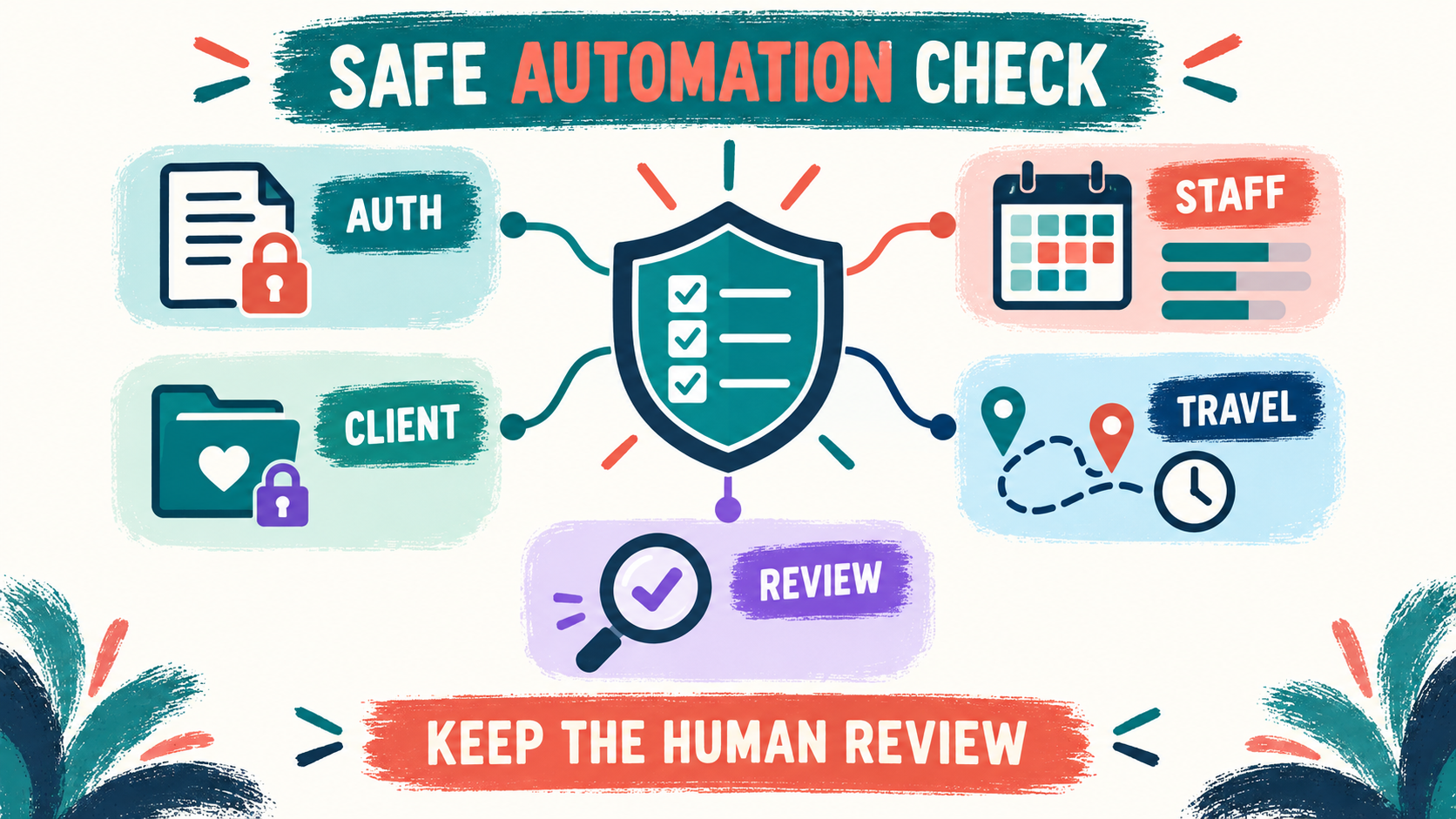
Appointment information can reveal that a person receives services, where services occur, who provides them, and when a caregiver may be reached. Review the privacy and security responsibilities before connecting calendars, text messaging, portals, maps, or clearinghouses. The HHS HIPAA resources are a starting point, not a product endorsement or a conclusion that a particular configuration is compliant. Check whether:
- each user has an individual account and role-based access;
- reminders reveal only the minimum necessary information;
- the practice can document consent and communication preferences;
- the system keeps an audit trail for views, edits, exports, and deletions;
- vendor access, retention, backup, incident response, and termination are addressed in writing; and
- a downtime or mistaken-message procedure is tested before launch.
The BACB Ethics Code also matters when a convenience feature affects confidentiality, consent, client welfare, accurate communication, or the analyst’s ability to provide competent services. A faster calendar does not reduce those professional responsibilities.
How Do You Pilot the Workflow?
Use a limited pilot with de-identified cases and a manual fallback. Choose one appointment type, one location or service model, and a small group of users. Establish the baseline first: average scheduling time, rework, overlap errors, late alerts, missed follow-up, and the time required to resolve exceptions.
- Map: write the current scheduling steps and the source of every input.
- Configure: translate approved rules into settings, with an owner for each rule and exception.
- Break it: test cancellations, missing availability, stale authorizations, impossible travel, duplicate appointments, and a system outage.
- Review: have operations and clinical leads compare the recommendation with the intended workflow.
- Decide: expand only if the pilot reduces rework while preserving privacy, consent, documentation, and supervision controls.
Keep a change log. When a rule changes, record why, who approved it, when it takes effect, and which appointments might be affected. Automation should make the practice more legible, not create a second invisible policy manual.
How Does This Connect to the BCBA Exam?
BCBA-style questions may use a scheduling or technology scenario to test scope, supervision, ethics, documentation, measurement, or client welfare. The best answer is not necessarily the fastest administrative choice. Ask what information is missing, who has authority, whether the client or caregiver consented, and whether the decision belongs to a qualified professional. When an automated schedule creates a conflict, pause before accepting the suggestion and consider the following:
- Does the proposed appointment fit the client’s plan, consent, setting, and authorized service?
- Is the provider trained and available for the assigned task and required supervision?
- What data and documentation support the next decision?
- Should the analyst pause, consult, correct, or refer rather than accept the system’s suggestion?
For scenario practice, the free BCBA mock exam can help you rehearse ethics, supervision, measurement, and professional-judgment questions. Use it as a study aid to explain your reasoning; it is not official BACB material or a substitute for the current handbook and test content outline.
ABA Appointment Automation Checklist
Before enabling automation, confirm that the practice can answer “yes” to the relevant questions and can show the evidence during a workflow review:
- Have we measured the scheduling bottleneck and defined a realistic success metric?
- Are client, staff, service, authorization, travel, and supervision inputs current and owned?
- Are mechanical rules separated from clinical decisions?
- Does every alert have an action, an owner, and an escalation path?
- Can an authorized person see why a recommendation was made and correct it?
- Have privacy, consent, messaging, access, export, retention, and downtime controls been tested?
- Did a limited pilot reduce rework without increasing missed reviews or unsafe assumptions?
The bottom line is that ABA client appointment automation should make the routine easier and the exception clearer. Start with reliable inputs, encode only approved rules, keep human review where client welfare or clinical authority is involved, and expand only when the data show that the workflow is safer as well as faster.
Take the Free BCBA Mock Exam
If you want a low-pressure way to check your recall, use the free practice resource below. Take the Free BCBA Mock Exam