
Time-saving ABA tools can reduce repetitive documentation, scheduling, authorization, billing, and supervision work—but the right tool is the one that removes friction without hiding clinical information or weakening professional review. This guide treats time saving ABA tools as workflow supports, not replacements for clinical judgment. Start with the bottleneck, not the software demo.
Table of Contents
- What Are Time-Saving ABA Tools Supposed to Do?
- How Do You Find the Real Workflow Bottleneck?
- Which Time Saving ABA Tools Save the Most Time?
- How Should You Compare ABA Tools?
- What Privacy and Clinical Controls Must Be Checked?
- Can a Small ABA Practice Use a Simple Tool Stack?
- How Do You Implement Automation Without Losing Control?
- How Do Tools Affect Supervision and Team Training?
- How Does This Topic Connect to the BCBA Exam?
- Time-Saving ABA Tool Checklist
- Take the Free BCBA Mock Exam
This guide gives BCBAs, practice owners, supervisors, and ABA administrators a neutral way to compare workflow tools. It is not a vendor ranking, a HIPAA certification, a billing guarantee, or legal advice. Before adopting a platform, verify its contract, privacy terms, access controls, export options, payer requirements, local rules, and fit with your team’s clinical responsibilities. Table of Contents
What Are Time-Saving ABA Tools Supposed to Do?
The short answer is that a time-saving tool should make a repeatable task easier to complete, easier to check, and easier to hand off. It should not make the practice less able to understand what happened with a client. For example, an electronic note template may reduce typing, but it still needs enough clinical context for a qualified reviewer to understand the service, data, decisions, and next step.
In ABA practice, “saving time” can mean fewer duplicate entries, faster retrieval of records, earlier alerts about authorizations, cleaner scheduling, easier graph updates, or less manual reconciliation between a session note and a claim. It does not mean skipping assessment, copying a treatment plan without review, allowing an algorithm to choose goals, or treating a completed form as proof of clinical necessity.
The BACB’s BCBA overview describes behavior analysts as practitioners who provide behavior-analytic services and supervise other personnel. That role matters when evaluating software: the platform can organize information, but the BCBA remains accountable for decisions that require behavior-analytic competence, judgment, consent, and supervision.
How Do You Find the Real Workflow Bottleneck?
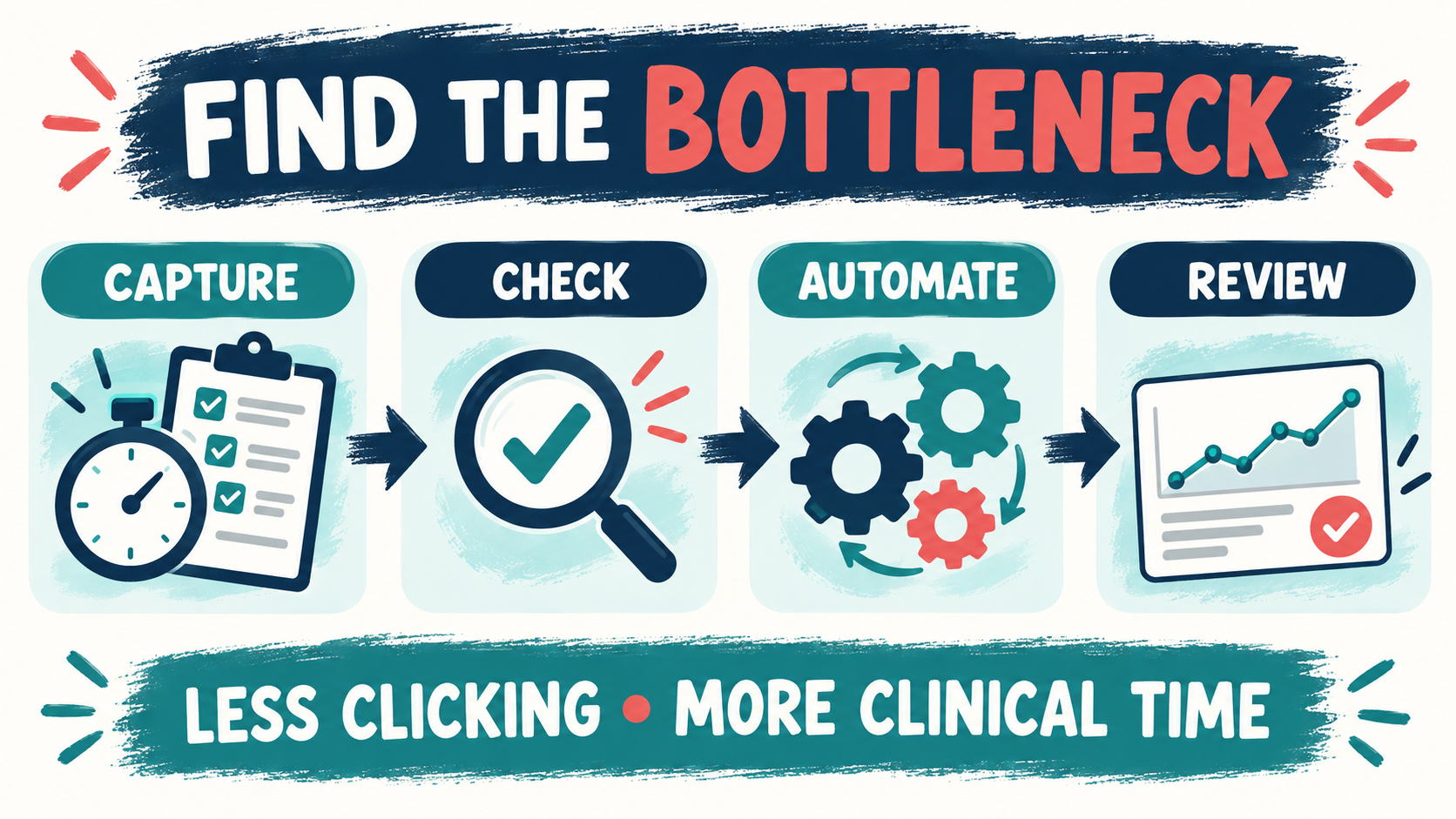
Before comparing products, observe one ordinary week. Ask each role to record where time is lost, where information is entered twice, where a task waits for another person, and where an error is discovered late. A complaint such as “notes take too long” may actually describe several different problems: unclear templates, missing data, slow approvals, poor mobile access, weak training, or a staffing level that no application can fix.
Measure the work in a small sample rather than relying on the loudest opinion. Track the number of steps, minutes per case, rework, missing fields, late signatures, rejected claims, authorization surprises, and unanswered family messages. Then decide whether the bottleneck is a capture problem, a handoff problem, a decision problem, or a capacity problem.
- Capture: information is collected slowly or in an inconsistent format.
- Handoff: the next person cannot find the information or does not know that action is needed.
- Decision: the team lacks a clear review rule, escalation path, or owner.
- Capacity: there are not enough trained people or protected time to do the work safely.
Automation is most useful for the first two categories. It can support the third by making a rule visible, but it cannot create professional judgment. It cannot solve the fourth unless it genuinely removes administrative load and the practice uses the recovered capacity for care, supervision, or review. A useful tool should improve at least one of these observable outcomes without creating a new risk:
- less duplicate entry and less rework;
- faster access to the current record and next action;
- earlier detection of missing data, expiring authorization, or an unresolved handoff; or
- more protected time for clinical review, caregiver communication, and supervision.
Which Time Saving ABA Tools Save the Most Time?
There is no single “best ABA tool” for every practice. The useful category depends on the bottleneck, client setting, payer mix, staff roles, and existing systems. Search results for time saving ABA tools often group documentation, scheduling, billing, and analytics together, but feature lists should be treated as claims to verify rather than reasons to purchase.
1. Data collection, graphing, and progress review: Digital data tools can standardize definitions, reduce transcription, calculate summaries, and make trends easier to see. Look for a clear path from the measurement definition to the graph and then to the review note. Confirm whether the system preserves raw data, records edits, supports the measurement types your programs use, and allows a qualified clinician to inspect unusual values rather than hiding them behind a dashboard.
2. Session notes and record workflows: Templates, required fields, saved preferences, and signature routing can reduce repetitive documentation. The danger is a note that is fast to complete but clinically empty. A strong tool makes the required facts visible without forcing every client into the same narrative. Test whether a supervisor can see what was entered, what was changed, who approved it, and what still needs attention.
3. Scheduling, reminders, and authorization tracking: Scheduling tools can reduce back-and-forth, show staff availability, document cancellations, and flag an approaching authorization limit. Treat alerts as prompts, not as proof that a service is covered. The practice still needs a human owner who confirms eligibility, authorization, setting, units, and the family’s financial responsibility.
4. Billing, claims, and payment reconciliation: Billing tools may connect appointments, notes, codes, claim status, denials, and payments. They can be useful when the current process depends on copying data among spreadsheets. However, an NPI is an administrative identifier, not a license, payer contract, credentialing approval, or guarantee of reimbursement. Keep those distinctions visible in the workflow and in family communications.
5. Supervision, training, and team communication: Shared checklists, competency records, observation scheduling, feedback logs, and secure task routing can help supervisors see what is pending. A tool should make responsibility clearer rather than create a new inbox that no one owns. The BACB supervision and training guidance is a useful reference when deciding which activities need direct oversight and which can be delegated.
How Should You Compare ABA Tools?
Compare tools against a written use case. Ask the vendor to demonstrate one complete workflow using realistic but non-identifying test data: intake, scheduling, session capture, clinical review, authorization check, billing handoff, export, and correction. A polished demo of isolated features tells you less than a messy end-to-end test.
| Question | What good looks like | Warning sign |
|---|---|---|
| Does it fit? | The workflow matches the practice’s settings, measures, roles, and review points. | The team must change clinical definitions to fit a preset template. |
| Is data protected? | The contract, access model, breach process, storage, and vendor responsibilities are clear. | The sales page says “secure” without explaining controls or responsibilities. |
| Can you export? | The practice can retrieve usable records and raw data in a documented format. | Leaving the platform makes records difficult, expensive, or technically impossible. |
| Who reviews? | Each alert, edit, denial, and clinical decision has a named owner and escalation route. | The practice assumes automation means no one needs to check the result. |
What Privacy and Clinical Controls Must Be Checked?
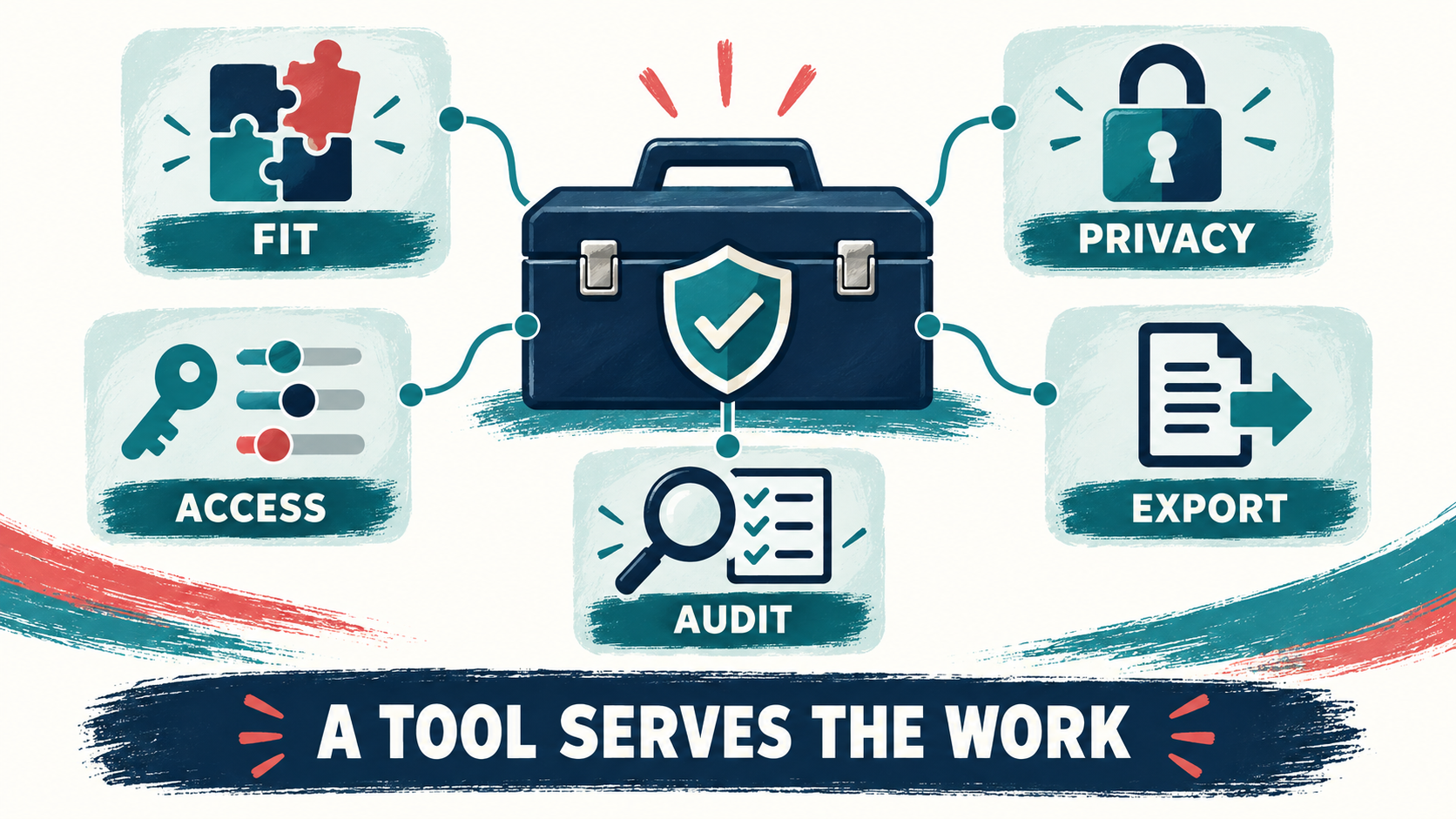
Privacy is not a checkbox attached to a product name. The HHS HIPAA resources provide a starting point for privacy and security rules, but the practice must determine which requirements apply to its entity, vendors, payers, locations, and jurisdiction. Ask for the agreement and technical details before entering protected health information. At minimum, review:
- Access: Can each person see only what the role requires? Are accounts individual, and can access be removed promptly?
- Audit history: Can the practice see who viewed, changed, signed, exported, or deleted a record?
- Data lifecycle: Where is information stored, backed up, retained, returned, and destroyed?
- Integration: Does an integration duplicate data or create a new place where an error can occur?
- Clinical control: Can a qualified reviewer correct a templated or automated output and document the reason?
- Downtime: What happens when the application, internet connection, or vendor support is unavailable?
Do not paste identifiable client information into a consumer application merely because it is convenient. Use a documented test environment, approved accounts, and a written process for incident escalation. The BACB Ethics Code also keeps competence, client welfare, confidentiality, informed consent, and accurate communication at the center of practice decisions.
Can a Small ABA Practice Use a Simple Tool Stack?
Yes. A small practice usually benefits from a short, well-understood stack more than from a dozen disconnected subscriptions. Start with the system that holds the authoritative record, then add only tools that remove a measured bottleneck. The stack may include scheduling, clinical records, data and graphing, secure communication, billing, and a task list, but these do not all need to come from one vendor.
Map the source of truth for each item. Where does the current client address live? Which system owns the authorization date? Where is the signed note? Which record is used for a correction? If two tools both appear to be authoritative, the practice needs a reconciliation rule before it needs another integration.
How Do You Implement Automation Without Losing Control?
Use a staged rollout rather than switching every workflow at once. Pick one bottleneck, one team, and a small set of de-identified test cases. Define success before launch: minutes per task, completion time, error rate, missing data, review time, and staff confidence. Keep a manual fallback until the new path has passed review.
- Days 1–5: map. Draw the current steps, owners, handoffs, data fields, and failure points.
- Days 6–10: test. Run realistic cases with fake data, including a correction, a cancellation, an authorization alert, a failed export, and a downtime scenario.
- Days 11–20: pilot. Use the tool with a limited team while a qualified reviewer checks the output and records exceptions.
- Days 21–30: decide. Compare the baseline with the pilot, document changes, train all users, and either expand, revise, or stop.
Do not define success as “everyone logged in.” A safer measure is whether the practice can complete the work with less rework while preserving accurate records, appropriate review, client choice, and a clear escalation path.
How Do Tools Affect Supervision and Team Training?
Tools change what supervisors can see, but visibility is not the same as supervision. A dashboard can show that a note is late; it cannot decide whether a technician understood the procedure, whether a goal remains socially meaningful, or whether a change in behavior requires consultation. Use software to schedule observations, surface exceptions, store feedback, and document follow-up—not to outsource the supervisor’s clinical responsibility.
Train staff on the reason behind each required field. If a form asks for a measurement, define the measurement. If a system displays an alert, explain who acts on it and when. If a template suggests language, tell users when they must replace it with client-specific facts. A faster workflow with poorly trained users simply produces incorrect work faster.
How Does This Topic Connect to the BCBA Exam?
Time-saving ABA tools can appear in BCBA-style scenarios through measurement, documentation, supervision, ethics, technology, and professional judgment. The test is not whether an application has the most features. The test is whether the analyst protects the client, uses competent procedures, maintains accurate records, communicates honestly, and reviews data before making a decision. When you read a scenario about an automated reminder, data dashboard, templated note, or billing integration, ask:
- What information is missing before a clinical decision can be made?
- Who has the competence and authority to review the result?
- Does the workflow protect confidentiality, consent, dignity, and client welfare?
- Is the tool supporting a defined procedure, or is it being used as a substitute for one?
- What documentation, correction, consultation, or referral is needed?
For additional scenario practice, the free BCBA mock exam is a separate study resource for rehearsing ethics, measurement, supervision, and professional judgment. It is not official BACB material and does not replace the current BACB handbook or task list.
Time-Saving ABA Tool Checklist
Before adopting a tool, confirm that you can answer “yes” to the questions that apply:
- Have we measured the bottleneck and defined the task we are trying to improve?
- Does the tool preserve the raw information, clinical context, and review history?
- Are access, contracts, privacy responsibilities, retention, export, and deletion clear?
- Can the practice correct an automated or templated output and document the correction?
- Does each alert, exception, denial, and handoff have a named owner?
- Have we tested cancellations, missing data, downtime, failed export, and staff offboarding?
- Can the team explain the workflow without relying on one power user?
- Did the pilot reduce rework without reducing client-centered clinical review?
The best time-saving ABA tools are quiet infrastructure: they make the right information easier to capture, find, check, and hand off. Start small, protect the record, keep clinical judgment with qualified professionals, and expand only when the data show that the workflow is safer and genuinely less wasteful.
Take the Free BCBA Mock Exam
If you want a low-pressure way to check your recall, use the free practice resource below. Take the Free BCBA Mock Exam