
If you searched pearson bacb, you are probably at the handoff point between two systems: BACB determines whether you are approved to test, while Pearson VUE manages the appointment itself. The safest sequence is to confirm your Authorization to Test (ATT), use the official Pearson VUE BACB page, book the appointment, save the confirmation, and then check the current fee, cancellation window, ID, and arrival instructions before exam day.
Table of Contents
- What “pearson bacb” Means for Your Appointment
- Start With the ATT and Book in the Right Order
- Save the Evidence That Proves Your Booking
- Check the Current Fee Before You Pay
- Understand Cancellation and Rescheduling Windows
- Make Your ID and Name Match Before Exam Day
- Build a Low-Stress Check-In Plan
- Know What to Do When the Appointment Record Is Missing
- Use Practice After the Logistics Are Secure
- FAQ
- Take the Free BCBA Mock Exam
This page is a logistics checklist, not an eligibility decision or a guarantee that an appointment will be available on your preferred date. Policies and fees can change, so use the official BACB and Pearson VUE links below as the final authority on the day you act.
What “pearson bacb” Means for Your Appointment
“Pearson BACB” is not a separate credential. It is shorthand for the BACB examination program delivered through Pearson VUE. The organizations have different jobs, and confusing those jobs is one of the fastest ways to lose time.
| Organization or record | What it controls | What you should do |
|---|---|---|
| BACB | Eligibility review, application outcome, and authorization to test | Read the current handbook and follow the official communication attached to your application |
| Authorization to Test (ATT) | The handoff signal that lets an approved candidate move to appointment scheduling | Check the candidate name, expiration or timing instructions, and the official scheduling route |
| Pearson VUE | Appointment availability, scheduling payment, cancellation, rescheduling, and test-center check-in | Use the BACB program page and save the appointment confirmation |
| Your test center | The local arrival, security, and identification experience under Pearson instructions | Plan the route and arrive early with the correct original ID |
For the longer background explanation, read the site’s pearson bacb scheduling guide. This page is narrower: it helps you complete the transaction without overlooking the evidence you will need later.
Start With the ATT and Book in the Right Order
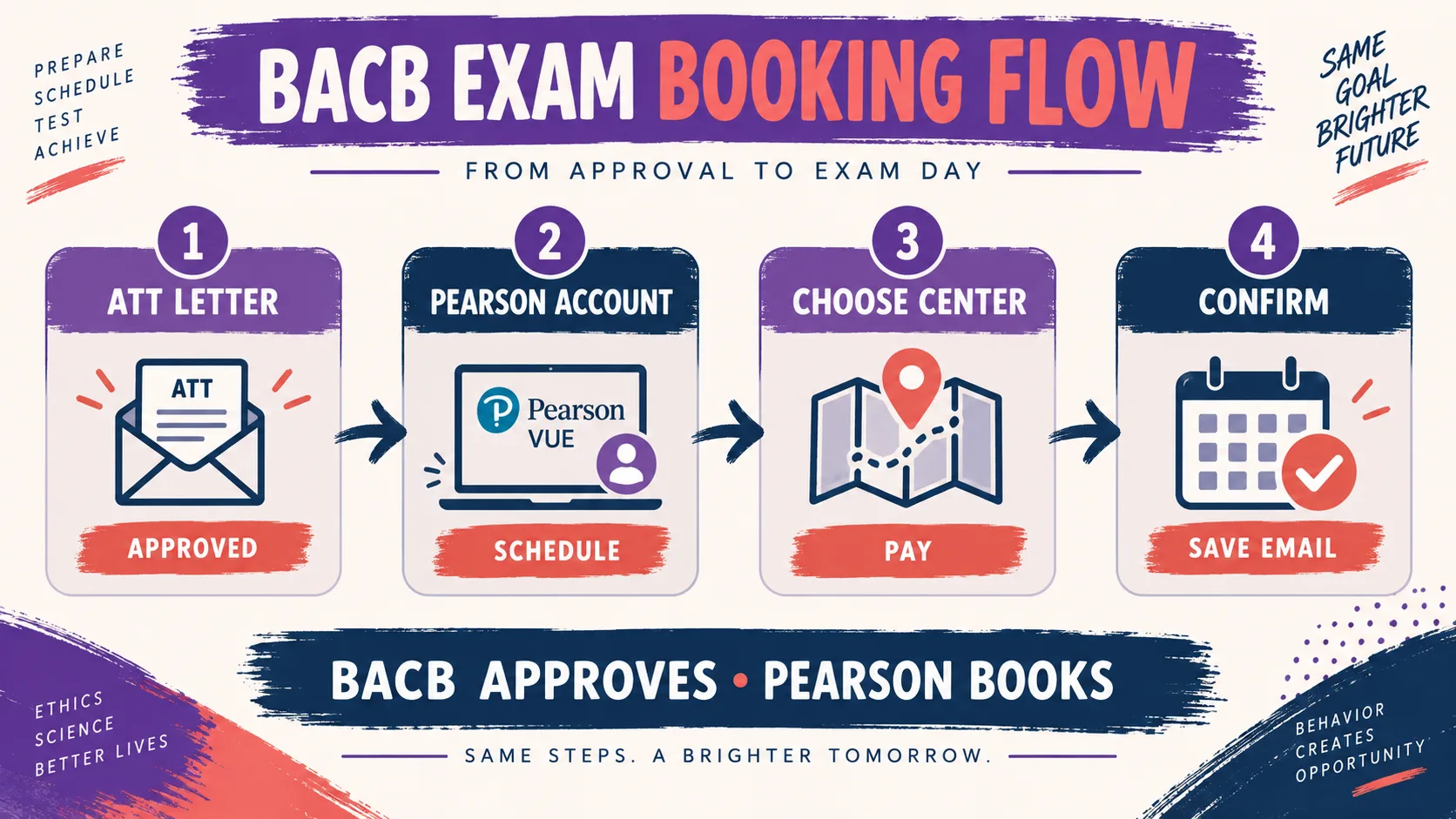
Do not start by searching random test-center pages or asking BACB to choose a seat for you. Once the official approval and authorization step is complete, Pearson VUE is the appointment system. Availability can vary by location, so have more than one acceptable date or center in mind.
- Confirm the authorization: open the latest BACB communication and verify that it is the instruction intended for your examination application.
- Open the official Pearson route: start from the BACB program page on Pearson VUE rather than an old bookmark or an unverified search result.
- Create or access the candidate account: use the same identifying information that appears in your BACB record, especially your first and last name.
- Choose the center and appointment: review the displayed date, time, location, fee, and change policy before submitting payment.
- Save the confirmation: keep the confirmation number, appointment date and time, center address, and the policy shown at checkout in one secure place.
If you cannot see the scheduling option, stop and compare the email, BACB account, and Pearson account details before creating multiple accounts. A duplicate account or name mismatch can make a simple authorization handoff harder to troubleshoot.
Save the Evidence That Proves Your Booking
A booking is not finished just because you saw an available seat. Treat the confirmation as a small project record. This is especially useful if you later need to reschedule, contact Pearson, or explain a mismatch.
| Record to save | Why it matters | Quick check |
|---|---|---|
| ATT or authorization communication | Shows the BACB-to-Pearson handoff you used | Name and candidate details match your records |
| Pearson confirmation number | Helps support locate the appointment | Copy it into a secure note, not only a screenshot |
| Appointment details | Prevents date, time-zone, and location mistakes | Record local time, address, and arrival instructions |
| Checkout fee and policy | Creates a dated reference if you later change the appointment | Confirm the live page before relying on any amount |
Never upload your ATT or ID to a public study group. Store only what you need, protect personal information, and use official customer-service channels when an account or appointment needs correction. Before you click the final payment or confirmation button, make a short transaction pause:
- Read the center name and street address, not just the city.
- Confirm the appointment time and local time zone.
- Compare the displayed candidate name with your BACB record.
- Read the change and cancellation policy shown for the appointment.
- Make sure you can save the confirmation number immediately after checkout.
Check the Current Fee Before You Pay
The current Pearson VUE BACB page lists a $125 scheduling fee for the BCBA and BCaBA examinations. The amount is time-sensitive: the live program page and your checkout screen control what you should pay. A third-party article, old screenshot, or cached search result does not override the current transaction.
| Before payment | Check | Why |
|---|---|---|
| Authorization | You are using the current BACB authorization instructions | Pearson appointment access follows BACB approval |
| Identity | Your Pearson and BACB names are consistent | A name problem can affect scheduling or admission |
| Amount | The displayed fee and payment currency | Do not rely on a historical fee |
| Change policy | The cancellation or rescheduling window for that appointment | The cost of changing can depend on how early you act |
Understand Cancellation and Rescheduling Windows
Pearson’s current BCBA program page lists the following cancellation and rescheduling schedule. It is a planning reference, not a permanent promise. Recheck the official page and the policy attached to your appointment before changing anything.
| Time before appointment | Current listed charge | What to do |
|---|---|---|
| 31 days or more | $0 | Change early if your date is uncertain, after confirming the live policy |
| 30 to 5 days | $69 | Do not wait for a problem to become urgent; check the exact appointment time |
| 5 days to 48 hours | $59 | Use the official account route and save the change confirmation |
| Less than 48 hours | Not permitted under the listed policy | Contact official support immediately; do not assume a late change will be accepted |
Count backward from the scheduled appointment, not from the day you first think about changing it. If you need a broader dates and deadline planning framework, use the site’s BCBA exam dates guide. If the issue is a missing or unclear authorization email, read the BACB authorization-letter guide before opening a second account.
Make Your ID and Name Match Before Exam Day
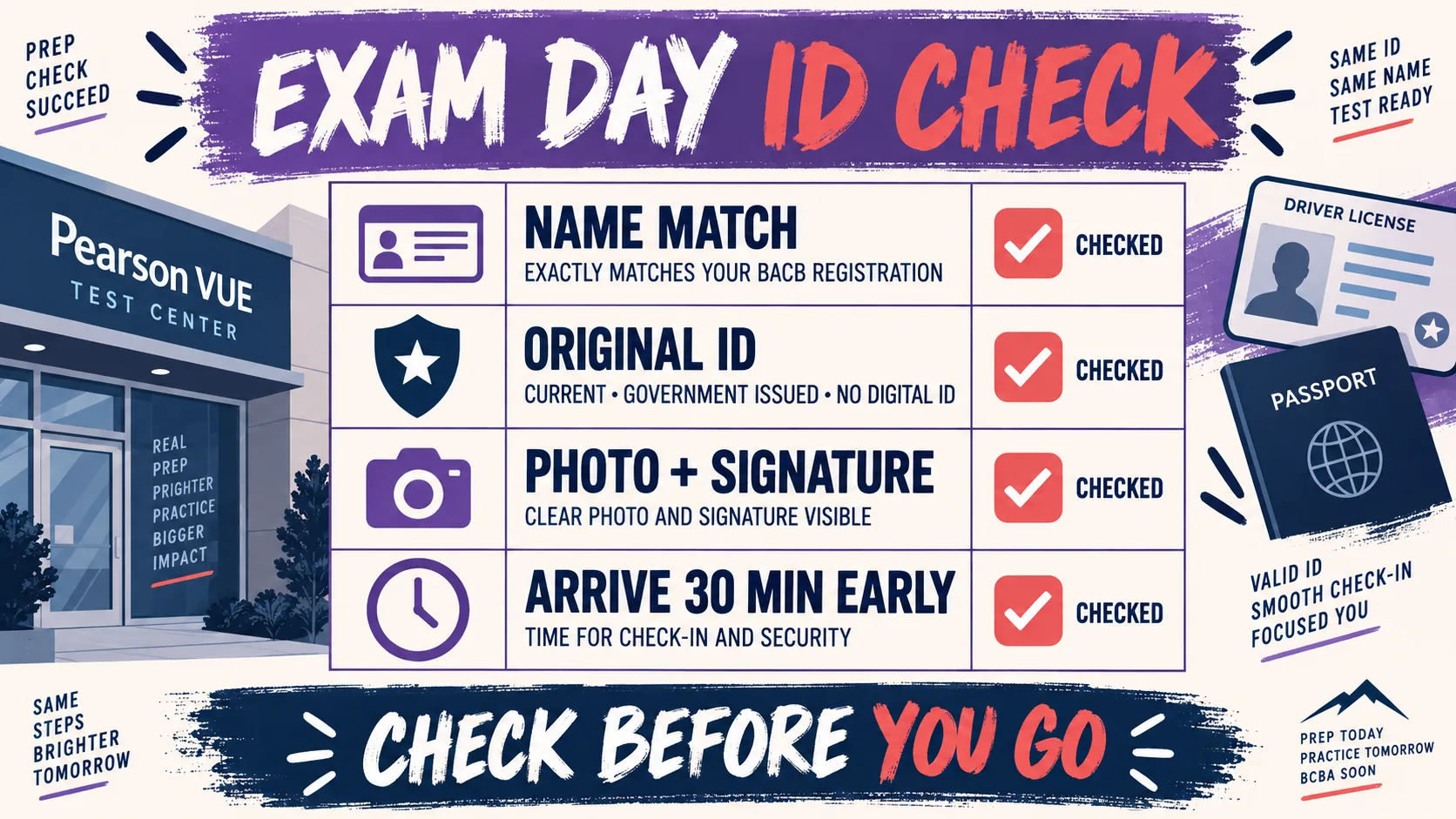
Appointment confirmation does not guarantee admission. Pearson’s current instructions say to bring one valid original government-issued ID with a recognizable photo and signature, and the name must match the name in the BACB account. A photocopy, digital image, expired document, or last-minute name mismatch can create a preventable problem.
| ID checkpoint | Ready means | If it is not ready |
|---|---|---|
| Original document | You have the physical original, not a screenshot or photocopy | Resolve the document issue before exam day |
| Government issued | The document meets the current Pearson program rule | Check the official ID list; do not rely on a forum answer |
| Photo and signature | Both are recognizable and visible | Contact Pearson support if you are unsure about acceptability |
| Name match | First and last name match the BACB registration record | Correct the account or ask official support before arrival |
| Validity | The ID is current on the appointment date | Renew or verify the acceptable alternative in advance |
Build a Low-Stress Check-In Plan
The current Pearson guidance recommends arriving about 30 minutes early. Use that time for parking, identity checks, security procedures, and any center-specific instructions. The goal is not to arrive hours early; it is to avoid turning a predictable check-in process into a rushed entrance.
- Save the center address and confirm the route the day before.
- Check the local time zone if you are traveling or booking across a boundary.
- Bring the original ID you already verified against the official rule.
- Keep your appointment confirmation number accessible without exposing it publicly.
- Read the center’s security instructions and leave prohibited personal items at home.
- Plan a quiet arrival buffer of approximately 30 minutes.
For the wider experience of pacing, breaks, and the test-center environment, use the existing BCBA exam-day guide. This page’s job is the appointment and admission handoff.
Know What to Do When the Appointment Record Is Missing
Do not immediately book a second appointment if the confirmation email disappears. First compare the Pearson account, email search, spam folder, payment record, and appointment history. Then use official Pearson customer service with the information they need to locate one record.
| Problem | First check | Escalate with |
|---|---|---|
| No confirmation email | Pearson appointment history, spam folder, and confirmation number | Pearson account details and payment evidence |
| Name mismatch | BACB record, Pearson profile, and physical ID | Official BACB or Pearson support, depending on which record is wrong |
| No suitable center | Nearby centers, alternate dates, and the official availability display | Pearson support; do not assume BACB can create a seat |
| Need to change date | The exact time remaining and current change policy | Official appointment route and a saved new confirmation |
Use the official Pearson VUE customer-service page for appointment support. Use BACB resources for eligibility, application, authorization, or certification questions. Keeping the two channels separate usually makes the answer faster.
Use Practice After the Logistics Are Secure
Once the appointment date, center, fee record, ID, and arrival plan are secure, practice can serve a clearer purpose: improving application of concepts under time pressure. It should not replace the official handbook, create an authorization, or predict a passing result. Before you start a practice set, decide what you are measuring:
- knowledge recall,
- application of a principle to a scenario,
- reading accuracy,
- time management, or
- the reason a prior answer was wrong.
When the booking task is finished, you can use the free BCBA mock exam as original preparation practice. It is not an official BACB or Pearson VUE assessment, does not change your appointment, and cannot guarantee a passing score.
FAQ
Does BACB schedule my BCBA exam? BACB handles eligibility and authorization. Pearson VUE handles the appointment transaction, including the available center, date, payment, cancellation, and rescheduling process. Follow the current official handoff instructions. How much is the Pearson BACB exam appointment? The current Pearson VUE BACB page lists a $125 scheduling fee for the BCBA and BCaBA examinations. Confirm the live page and checkout screen because fees and program policies can change.
Can I reschedule for free? The current listed table shows $0 at least 31 days before the appointment, $69 from 30 to 5 days, $59 from 5 days to 48 hours, and no change permitted under 48 hours. Recheck the official rule attached to your appointment before acting.
What ID should I bring? Pearson’s current instruction calls for one valid original government-issued ID with a recognizable photo and signature, with a name matching the BACB account. Do not assume a digital copy or an expired document will be accepted. How early should I arrive? Plan to arrive about 30 minutes early so you have time for the center’s check-in and security procedures. Verify the exact center instructions in your confirmation.
What is the safest next step? Open the official Pearson VUE BACB page, compare your ATT and account name, review the live fee and change policy, and save one complete appointment record. Then prepare for the exam without confusing practice content with official authorization.
Take the Free BCBA Mock Exam
A useful next step is to apply this idea in a fresh set of BCBA-style practice questions and review the feedback. Take the Free BCBA Mock Exam