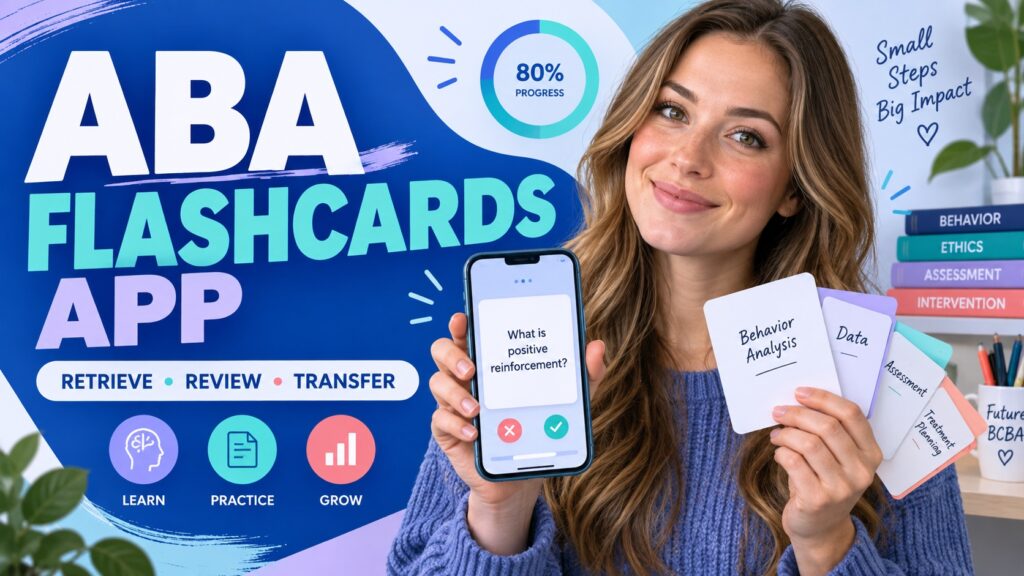
BCBA study tools and practice design If you are comparing an ABA flashcards app, do not judge it only by the number of cards or the polish of the interface. A useful app should help you retrieve a concept, distinguish it from a close alternative, apply it to a new scenario, and see what to review next. The tool should serve your study decisions; it should not turn the entire preparation process into tapping through familiar definitions.
Table of Contents
- What an ABA Flashcards App Should Help You Do
- Which App Features Matter for BCBA Study
- How to Check Coverage Against the TCO
- How to Build a Focused App Study Session
- How to Pair an App With a Mock Exam
- How to Avoid Passive App Practice
- A Quick ABA Flashcards App Checklist
- ABA Flashcards App FAQ
- Take the Free BCBA Mock Exam
Use the current BCBA Test Content Outline to check scope, and use the current BCBA Handbook for official preparation and examination guidance. The BACB does not endorse a specific commercial app, and an app’s claims about coverage or readiness are not a substitute for official materials, training, or supervised experience.
What an ABA Flashcards App Should Help You Do
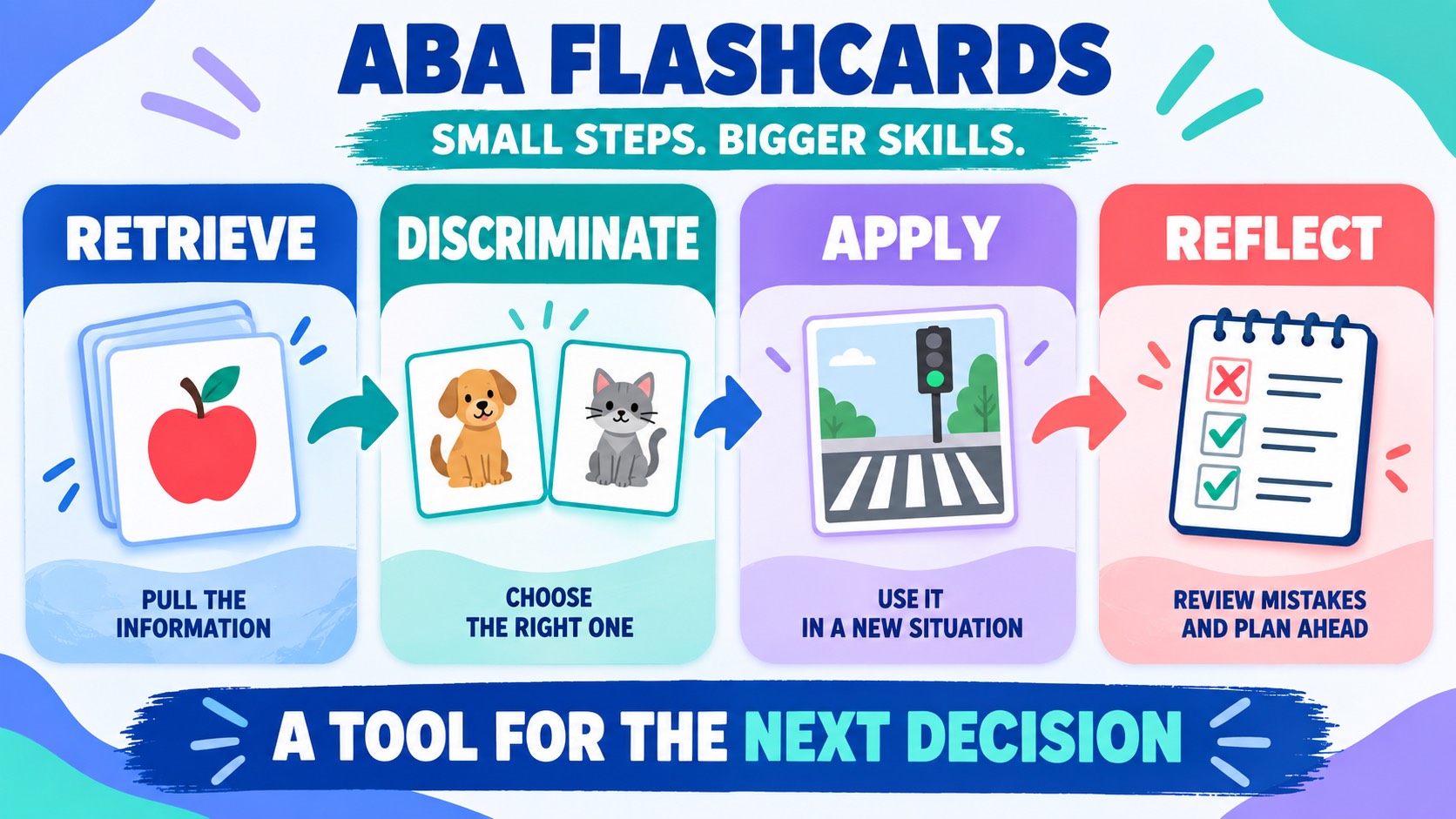
The best app for you is the one that supports the next learning decision. If you cannot define basic terms, a short recall deck may be useful. If you can recite definitions but miss scenario questions, you need contrast prompts, applied examples, and explanations—not simply more cards. If you forget material after a few days, scheduled review and an error queue may be more valuable than a larger library. Look for a tool that lets you move through four jobs:
- Retrieve: answer before the definition appears.
- Discriminate: compare a term with its closest distractor.
- Apply: use the concept in a changed scenario or decision.
- Reflect: tag the error and choose a specific next review action.
An app is not automatically adaptive because it has a progress bar. Ask what the progress measure means. “Cards seen” measures exposure. “Cards answered correctly twice under changed conditions” is closer to a useful mastery signal, although no app metric by itself establishes certification readiness.
| Study need | Helpful app function | What to verify |
|---|---|---|
| Weak recall | Short prompts, self-rating, and scheduled repetition. | Can you answer before seeing the definition? |
| Close-term confusion | Contrast cards or custom tags for near neighbors. | Can you state the controlling difference? |
| Scenario misses | Application prompts and explanations for alternatives. | Does the situation change from card to card? |
| Unclear next step | Error categories, review queues, and notes. | Can one missed card produce an actionable plan? |
Which App Features Matter for BCBA Study
Feature lists can sound impressive while hiding the actual learning experience. Evaluate the app as a study workflow. A clean interface is helpful, but the important question is what happens after you get a card wrong.
- Prompt control: the app should let you answer before revealing the back.
- Domain or task tags: you should be able to isolate one weak area without losing the larger map.
- Custom cards: add your own corrected examples and close-distractor explanations.
- Error review: missed cards should return intentionally, not disappear into a generic score.
- Scenario depth: at least some activities should require selection or explanation, not only matching.
- Progress clarity: distinguish exposure, accuracy, fluency, and transfer.
- Access and privacy: check device support, account requirements, data handling, and whether study works when connectivity is limited.
Be cautious with claims such as “covers every BCBA term” or “guarantees a pass.” The current outline describes content areas and tasks, not a promise that every third-party card uses the right definition or the right level of nuance. Treat a commercial deck as a study aid and verify technical wording against trusted course materials and current official sources.
How to Check Coverage Against the TCO
Use the Test Content Outline as a map, not as a reason to force every task into one flashcard. Make a simple coverage sheet with the nine content areas, then record whether the app provides recall, discrimination, and application opportunities in each area. Mark “not sure” when the app uses a broad label that you cannot connect to a current task.
For example, a measurement deck may include frequency and duration definitions but omit decisions about representative measurement, validity, reliability, graphing, and interpretation. A behavior-change deck may name prompting and fading but never ask you to choose a procedure based on a learner’s current response and the environmental constraint. Coverage is about the quality of the task, not only the number of labels.
- Open the current outline and list its content areas or relevant tasks.
- Mark which app deck or tag claims to cover each area.
- Test one recall card and one application activity from each sampled area.
- Record whether explanations identify the controlling clue and why alternatives fail.
- Fill gaps with your own cards or a different source rather than assuming the app is complete.
Keep the coverage sheet separate from your readiness judgment. An app can help you find a gap, but it cannot independently determine whether you meet BACB eligibility requirements or whether you will pass an examination.
How to Build a Focused App Study Session
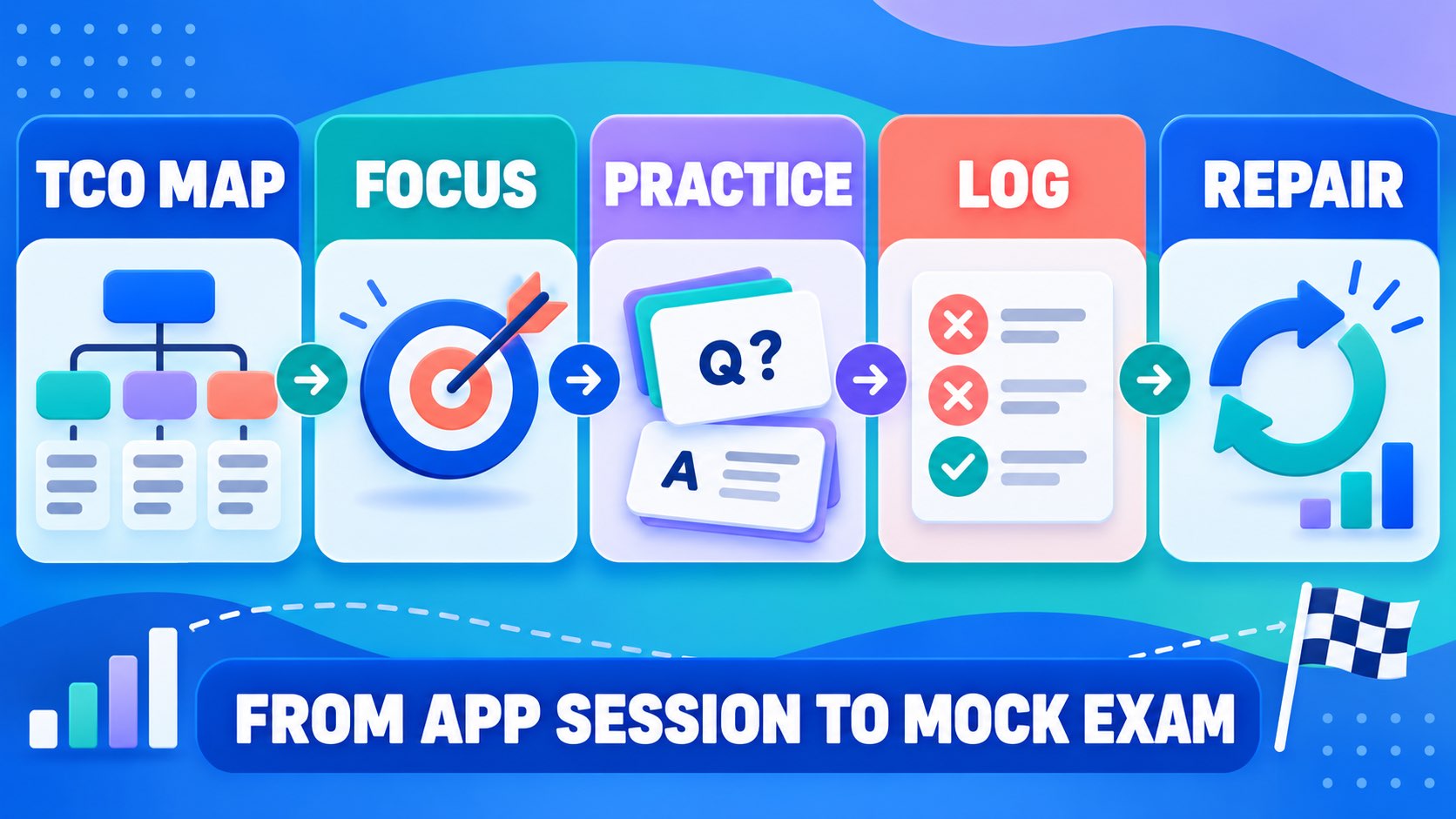
A focused session is easier to evaluate than an endless scroll. Choose one domain or decision family, set a small target, and leave the session with a documented next action.
- Set the target: choose one content area and one error type.
- Retrieve: answer a short set without looking at explanations first.
- Explain: say the defining feature and the closest contrast aloud.
- Transfer: complete one changed scenario, graph, or selection task.
- Log: write why the missed option was attractive and what clue you missed.
- Schedule: return the card to a deliberate review interval.
Suppose an app marks you wrong on an item about a measurement procedure. Do not simply repeat the same item until the answer feels familiar. Write whether the error involved the behavior’s critical dimension, observation constraints, the difference between continuous and discontinuous measurement, or interpretation of the graph. Then make a new item that changes the surface details while preserving the decision rule.
How to Pair an App With a Mock Exam
Flashcards and mock exams answer different questions. An app can build fluency with terms and small decisions. A mock exam tests reading under mixed conditions, distractor discrimination, pacing, and the ability to move between content areas. Use the app before a mixed session to repair a specific weakness, not as a replacement for mixed practice. After a mock session, convert the result into app work:
- Knowledge error: create or review a concise definition card.
- Discrimination error: build a two-term contrast card.
- Application error: write a new scenario with one controlling clue.
- Reading error: practice underlining the variable, condition, and requested decision.
- Pacing error: use a timed, smaller app set and track response time without sacrificing explanation quality.
How to Avoid Passive App Practice
Passive practice feels productive because the interface keeps moving. The warning signs are familiar: you recognize the card before reading it, you tap “known” without explaining it, or your score rises only because the same deck repeats the same wording. Change the task before adding more volume.
- Hide the answer and say it in your own words.
- Ask why the nearest alternative is wrong.
- Change the setting, measurement dimension, or constraint.
- Mix a familiar card with a new card from the same decision family.
- Review the error log at the end of the week and delete duplicate cards.
A Quick ABA Flashcards App Checklist
Before committing time or money to an app, answer these questions:
- Does the app identify the current BCBA outline or clearly label its scope?
- Can I retrieve an answer before I see the explanation?
- Can I practice close-term discrimination and changed scenarios?
- Does a missed card return with a useful reason or error tag?
- Can I add a correction when a card’s wording is incomplete?
- Are progress measures more meaningful than total cards viewed?
- Do the access, privacy, and device requirements fit my study routine?
After you repair a specific app-identified gap, try the free BCBA mock exam after your ABA flashcards app session to see whether the concept transfers to mixed scenarios. Use the result as feedback about your next study action—not as proof of eligibility, competence, or a passing score.
ABA Flashcards App FAQ
Is an ABA flashcards app enough to prepare for the BCBA exam?: No. It can support recall and targeted review, but complete preparation also requires the current outline, training materials, scenario practice, mixed review, and attention to official examination guidance. The app should fit inside a broader plan.
What is more important: a large card library or adaptive review?: Adaptive review is useful only when it sends you back to meaningful work. A smaller library with clear explanations, close-term contrasts, changed scenarios, and an error queue may be more useful than a large library that measures only exposure.
How can I tell whether an app uses the right ABA definitions?: Check its scope and source notes, compare sampled cards with current training materials and the BCBA Test Content Outline, and look for precise boundaries rather than slogans. When a term is technical or context-dependent, verify it before building more cards from it.
Take the Free BCBA Mock Exam
When you are ready to apply the idea, use the free practice resource below for additional feedback. Take the Free BCBA Mock Exam